Appearance
C.11: Billing
Summary
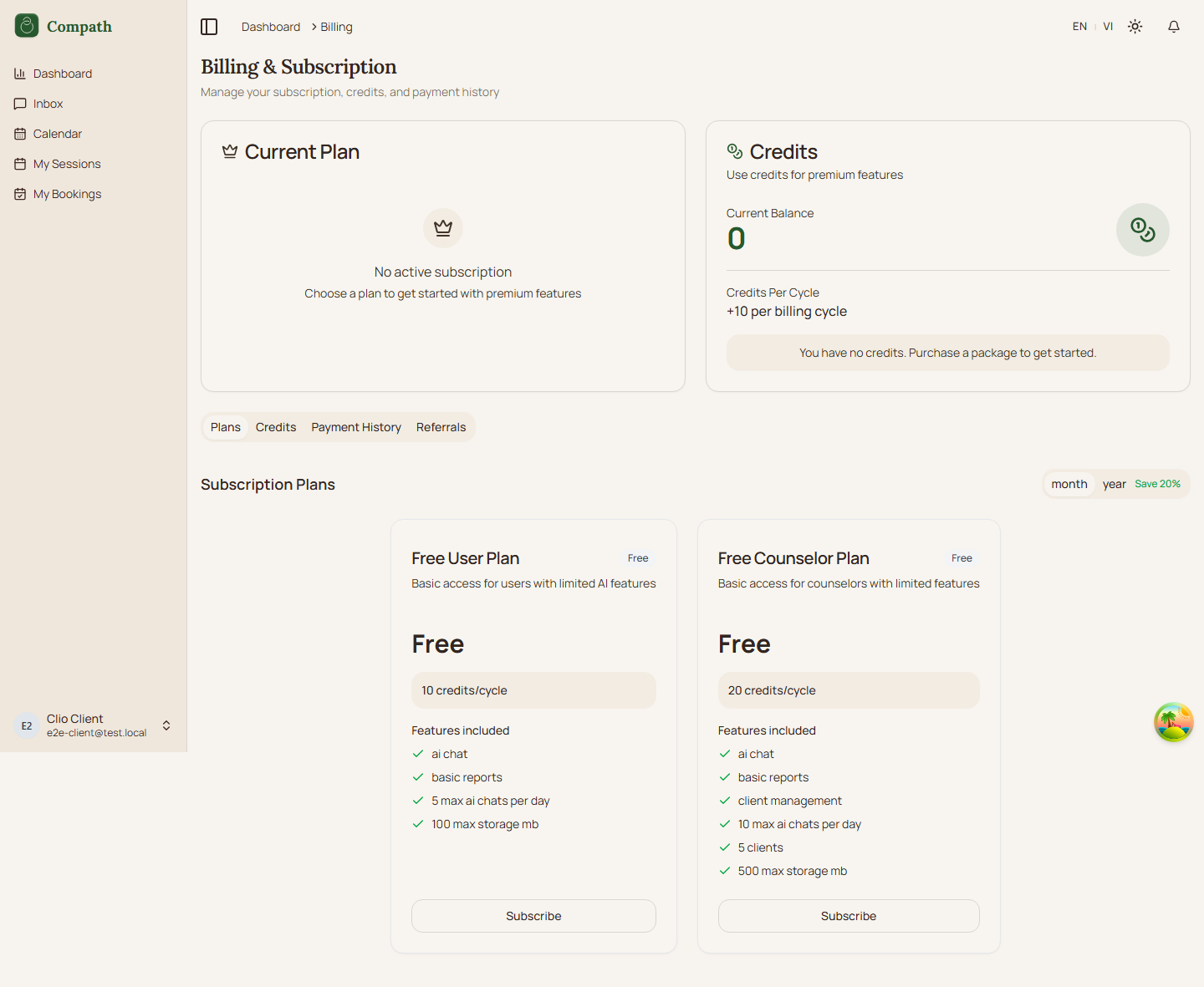
Billing gives clients access to subscription plans, credit packages, payment history, and referrals. The page is reachable from the user menu for non-admin users.
Role
- Primary: Client
- Secondary: System, Payment provider
Entry Point
- URL:
/billing - Navigation: User menu -> Billing
Preconditions
- Authenticated: yes
- Required role:
client - Billing APIs and payment provider configuration must be available for live checkout/history
Steps
- Client opens the user menu from the dashboard layout.
- Client selects Billing.
- System opens
/billing. - Billing page renders tabs for Plans, Credits, History, and Referrals.
- Client reviews available subscription plans in the Plans tab.
- Client reviews credit balance/packages in the Credits tab.
- Client reviews payment records in the History tab.
- Client reviews referral information in the Referrals tab.
- When a purchase action is available, client follows the checkout dialog/provider flow from the billing components.
Diagram
Edge Cases
- Admin role: Admins do not see Billing in the user menu; they use admin billing management instead.
- Plan/package loading: Individual billing components own their loading, empty, and error states.
- Checkout availability: Purchase actions depend on the billing component state and backend/payment configuration.
- Payment history empty: The history table component handles empty history separately from the page shell.
- Non-admin access: The shared route itself is protected by authentication; the user menu hides this item only for admins.
Screenshot Status
- Captured: