Appearance
C.2: Client Dashboard
Summary
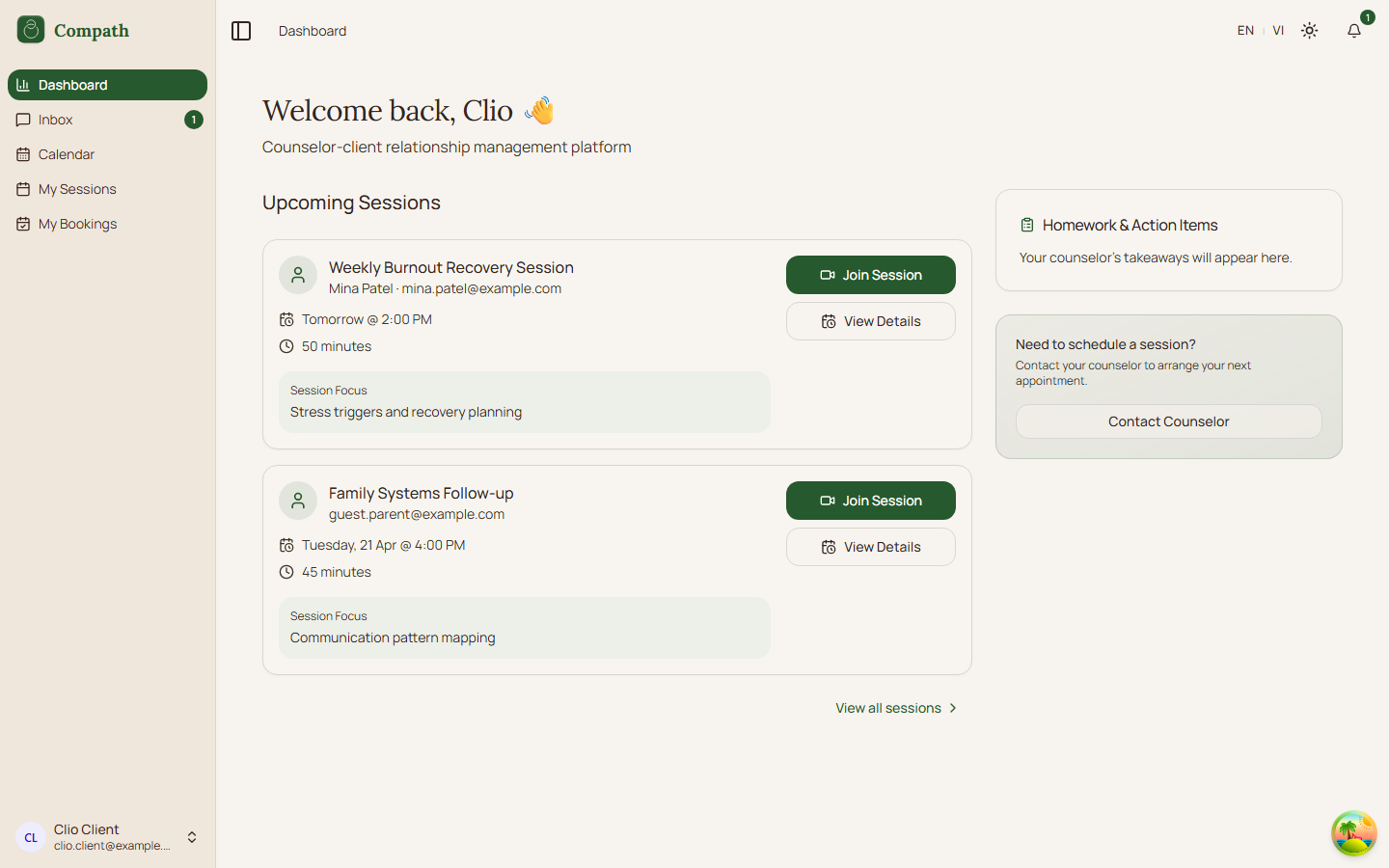
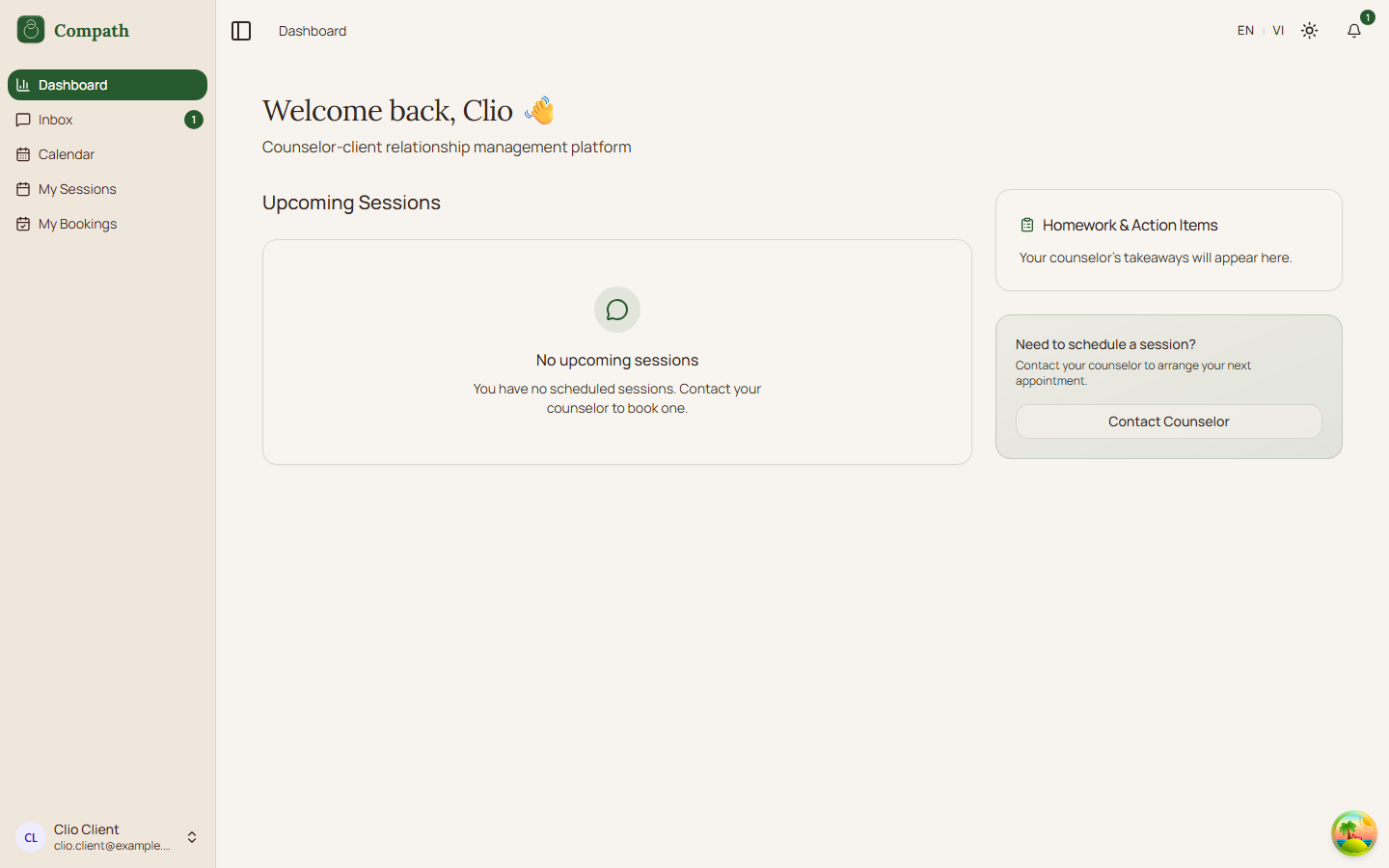
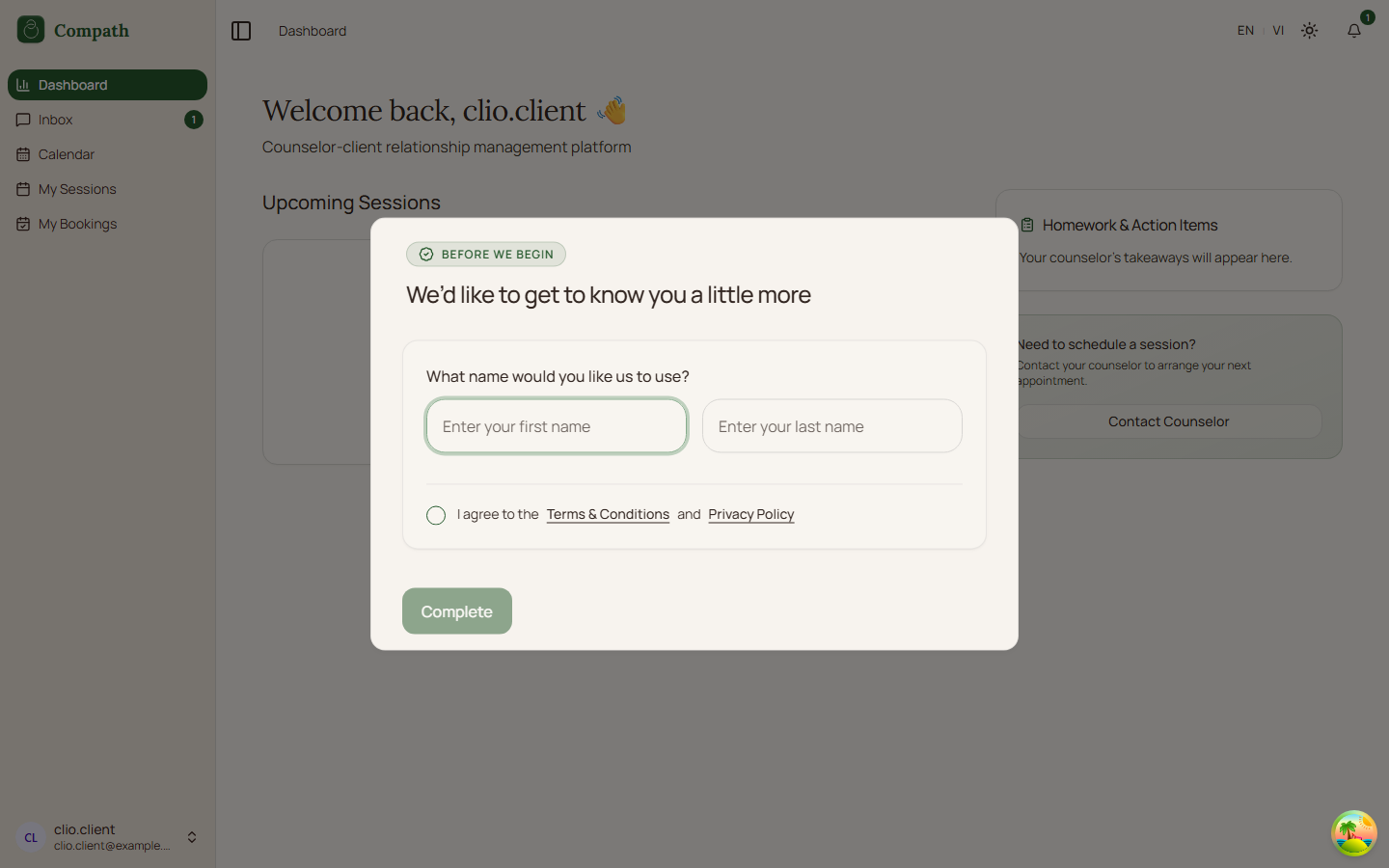
The Client Dashboard is the authenticated client's home view. It shows upcoming scheduled sessions, a homework/action-items placeholder, and a contact counselor call-to-action. If the client has not finished onboarding, the same page opens the client profile completion modal.
Role
- Primary: Client
- Secondary: Counselor, System
Entry Point
- URL:
/dashboard - Navigation: Sidebar -> Dashboard
- Redirect:
/routes authenticated clients to/dashboardunless onboarding is required
Preconditions
- Authenticated: yes
- Required role:
client - Current user profile must load successfully
Steps
- Client opens
/dashboard. - System loads the current user profile.
- Dashboard chooses the client dashboard variant based on
account_type. - System queries scheduled meetings from now forward, sorted ascending, with a limit of 10.
- System selects up to three upcoming sessions for the dashboard.
- Dashboard displays loading, error, empty, or session-card state.
- Client can click Join/Start Session on a card to open
/meeting/:meetingId. - Client can click View Details on a card to open
/sessions/:meetingId. - If there are more sessions than the dashboard preview, client can open
/sessions. - If onboarding is incomplete, dashboard opens the client profile modal before the normal dashboard flow is complete.
Diagram
Edge Cases
- No sessions: Dashboard displays an empty state explaining there are no upcoming sessions.
- Meetings query failure: Dashboard shows a retry button for session loading.
- Unread conversations: The sidebar Inbox item can show unread count even while the dashboard is active.
- Contact counselor link: The current dashboard CTA links to
/messages, but the app route for messaging is/inbox; this appears to be a frontend routing mismatch. - Onboarding incomplete: Client profile completion modal interrupts dashboard use until required details are submitted.
Screenshot Status
- Captured with Playwright on 2026-04-17 using mocked dashboard API responses:
- Upcoming sessions:
- Empty sessions state:
- Incomplete profile modal:
- Upcoming sessions: