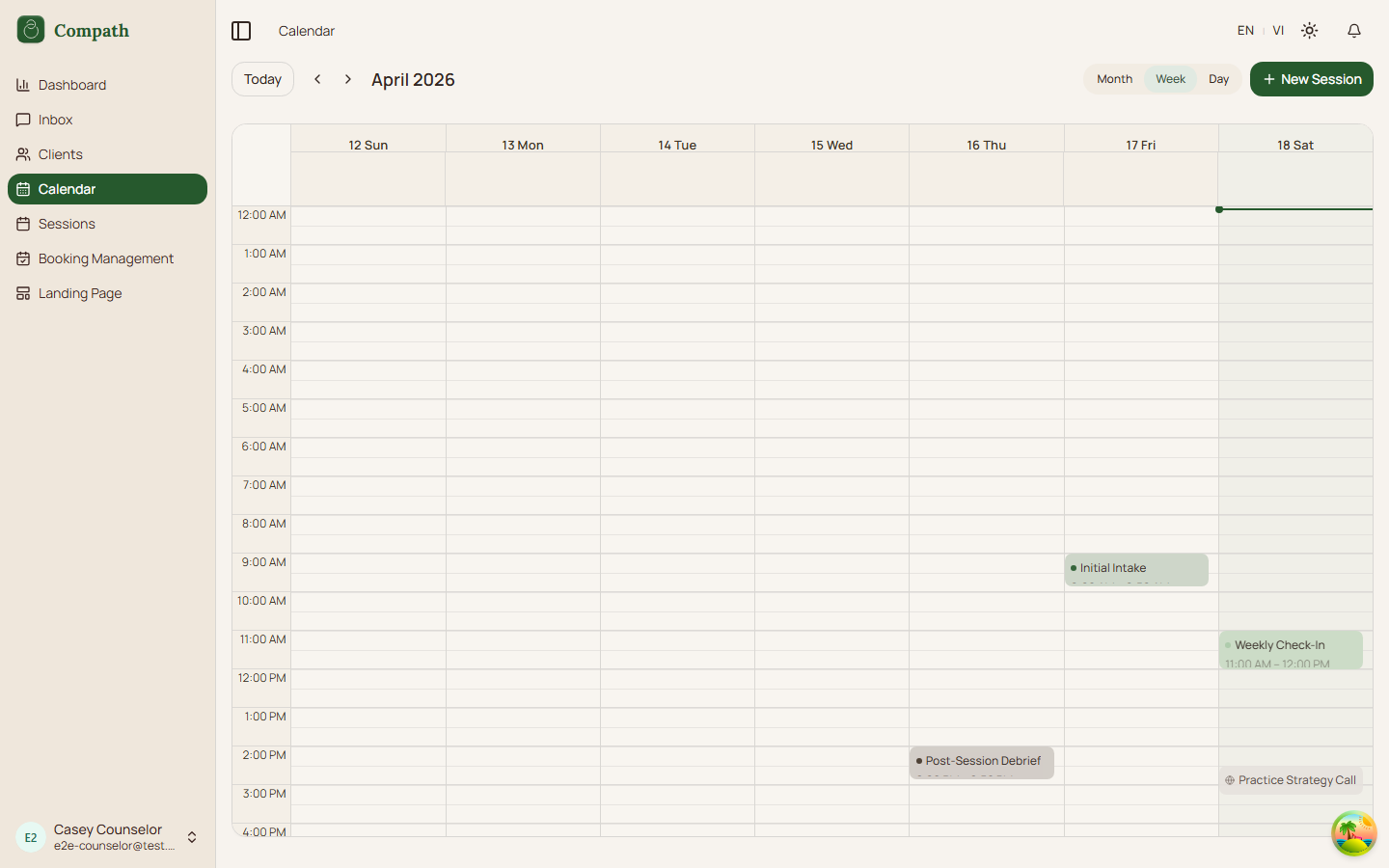
Appearance
CO.3: Calendar
Summary
Counselors view meetings, sessions, bookings, and external calendar events in day, week, or month views, with actions to schedule or inspect sessions.
Role
- Primary: Counselor
Entry Point
- URL:
/calendar - Sidebar: Calendar
Preconditions
- User is authenticated.
Steps
- Counselor opens the calendar.
- Frontend loads meeting and booking data for the visible range.
- Calendar renders month/week/day events.
- Counselor changes view or date range.
- Counselor selects an event to open the side panel.
- Counselor can navigate to the meeting details or create a new session.
Diagram
Edge Cases
- No events: Calendar shows an empty state for the selected range.
- External events: Google-connected events can appear alongside Compath meetings.
- Feature mismatch: Calendar sync behavior depends on connected integration state.
- Workspace filter: Inside a workspace (sidebar switcher) the calendar shows only that workspace's events and hides the workspace select. In the personal practice it defaults to Personal (events with no workspace) and offers All workspaces or a specific workspace once some event carries a workspace badge; workspace managers never see the select. A stale
?workspace=value falls back to that default rather than blanking the calendar.
Current Implementation Notes
- Frontend:
frontend/src/app/pages/calendar.tsx,frontend/src/features/calendar/components/calendar-view.tsx,frontend/src/features/workspaces/lib/workspace-filter.ts
Screenshot Status
- Captured: