Appearance
CO.10: Client Details
Summary
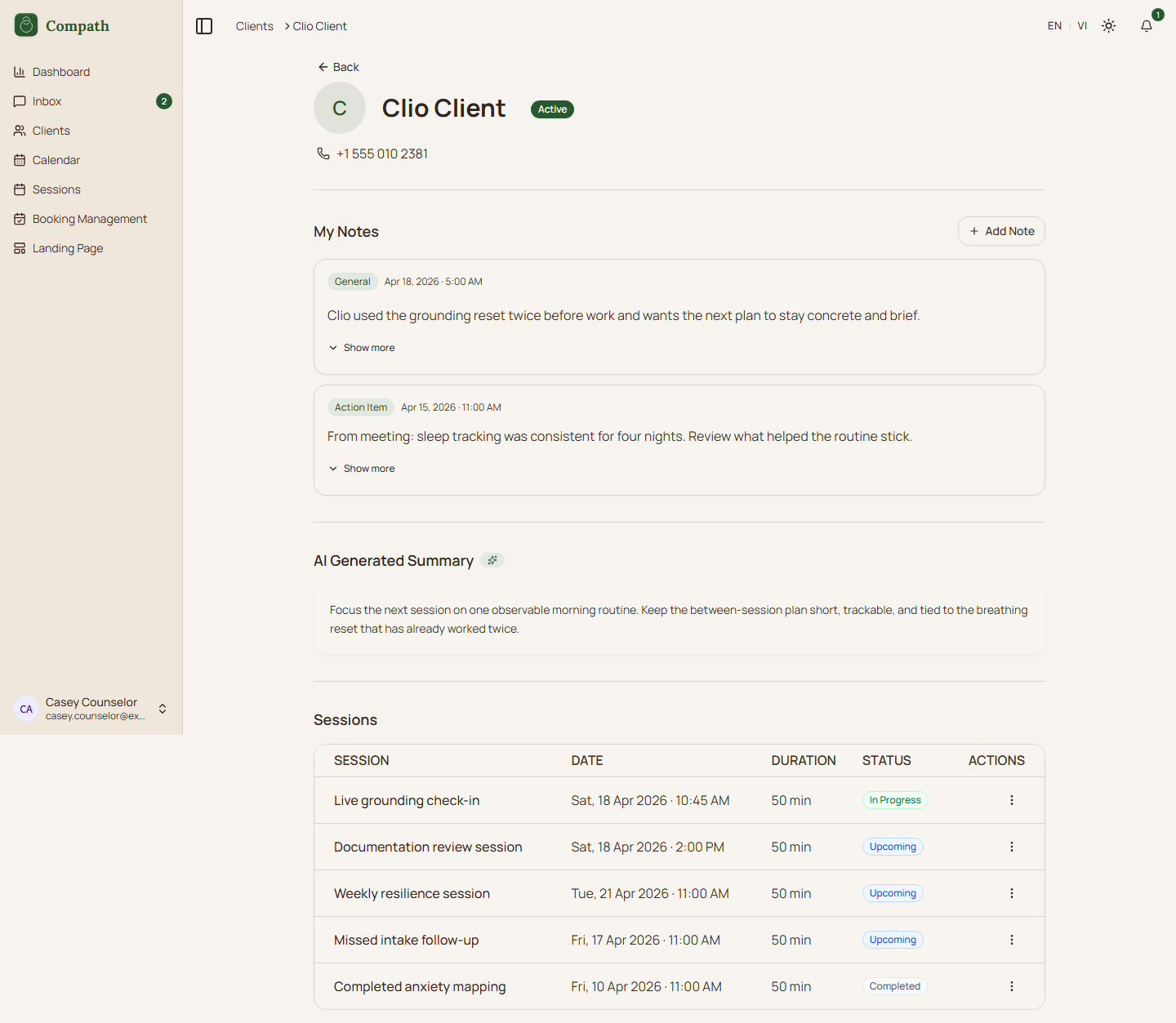
Counselors inspect a client relationship, profile details, meetings, notes, treatment plan state, and assessment activity from the client detail page.
Role
- Primary: Counselor
Entry Point
- URL:
/clients/:clientId
Preconditions
- Counselor owns or has access to the client relationship.
Steps
- Counselor selects a client from
/clients. - Frontend loads relationship, profile, meetings, notes, plans, and submissions.
- Counselor reviews personal information and status.
- Counselor can add notes, schedule sessions, create or clone treatment plans, and assign assessments.
- Related actions navigate to sessions, library plans, or assessment results.
Diagram
Edge Cases
- Missing client: Page shows error/not-found state.
- Restricted routes: Assessment/library actions depend on feature flag routes.
- Notes: Notes load and mutate through separate queries.
Current Implementation Notes
- Frontend:
frontend/src/app/pages/client-details.tsx
Screenshot Status
- Captured: