Appearance
IE.1: Client Invitation Lifecycle
Summary
A counselor invites a client by email. The backend creates a pending invitation with a secure token, sends a templated email through the email service, and exposes a public invitation landing page. The intended guest flow lets an invitee accept or reject from the invitation link without signing up. The current frontend still routes unauthenticated invitees through Supabase registration/magic-link auth before accept/reject.
Role
- Primary: Counselor, Guest, Client
- Secondary: System, Supabase Auth, Resend
Entry Point
- Counselor UI: Clients -> Invite Client dialog
- Guest/client URL:
/invitations/:token - API:
POST /api/v1/clients/invitations - Public API:
GET /api/v1/clients/invitation-details/:token - Authenticated invitee APIs:
POST /api/v1/clients/invitations/:token/accept,POST /api/v1/clients/invitations/:token/reject
Preconditions
- Counselor is authenticated and has the counselor role.
- Invitee email is valid.
- Intended guest acceptance/rejection does not require a Compath account.
- Email sending requires
RESEND_API_KEY; invitation creation does not require email delivery to succeed.
Steps
- Counselor opens the Invite Client dialog.
- Counselor enters the client's email and an optional note.
- Frontend posts the invitation request to
/clients/invitations. - Backend checks for an existing pending invitation for the same counselor/email.
- Backend checks whether the email already belongs to an existing active client relationship.
- Backend generates a token, validates optional expiration, serializes invitation data, and creates a pending invitation.
- If the email service is configured, backend sends a
client_invitationtemplated email with the invitation link. - Invitee opens
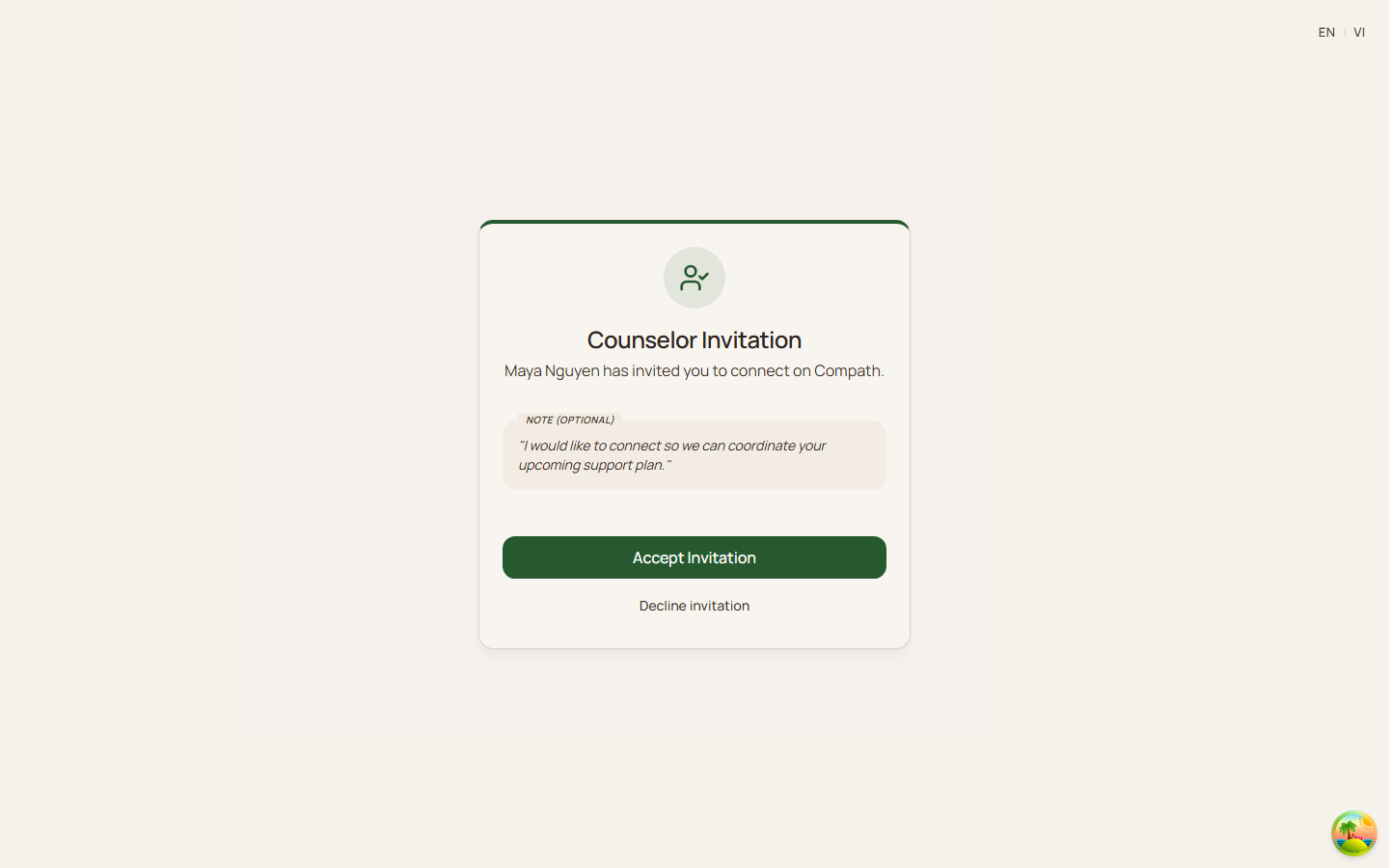
/invitations/:token. - Frontend loads public invitation details and shows counselor name, note, invitee email, and status.
- Invitee accepts or rejects without creating a Compath account.
- Frontend submits the invitation response with the token.
- On accept, backend verifies token/email policy/status/expiry, creates an active counselor-client relationship, and marks the invitation accepted atomically.
- On reject, backend verifies token/email policy/status/expiry and marks the invitation rejected.
- Frontend shows the result state for the invitee.
Diagram
Edge Cases
- Duplicate pending invitation: Backend returns
bad_request. - Existing client relationship: Backend rejects invites to an email already tied to the counselor's client.
- Email service missing or delivery failure: Invitation remains created; failure is logged and does not fail the counselor action.
- Expired invitation: Public details and acceptance reject expired tokens.
- Already processed invitation: Accepted, rejected, or revoked invitations are not reusable.
- Invited email verification: Backend must verify the token response is allowed for the invited email policy.
- Current wrong signed-in account behavior: Frontend shows a forbidden state with Switch Account.
- Current non-client account behavior: Backend allows only
clientorunassignedaccounts to accept. - Existing relationship race: Acceptance uses a transactional repository method and duplicate relationship handling.
Current Implementation Notes
- Frontend:
frontend/src/features/clients/components/invite-client-dialog.tsx,frontend/src/app/pages/invitation.tsx - API client:
frontend/src/shared/api/client.ts - Backend:
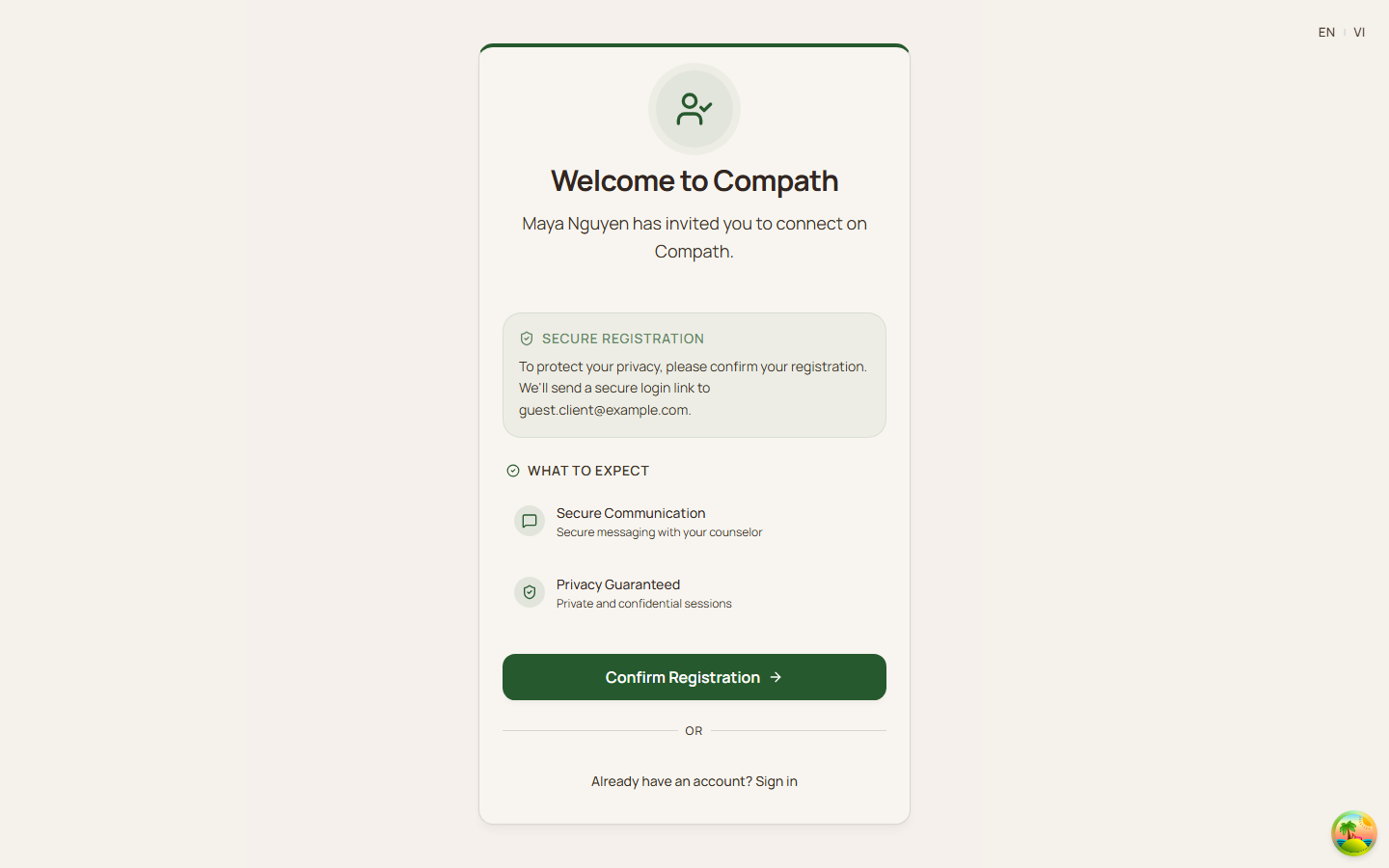
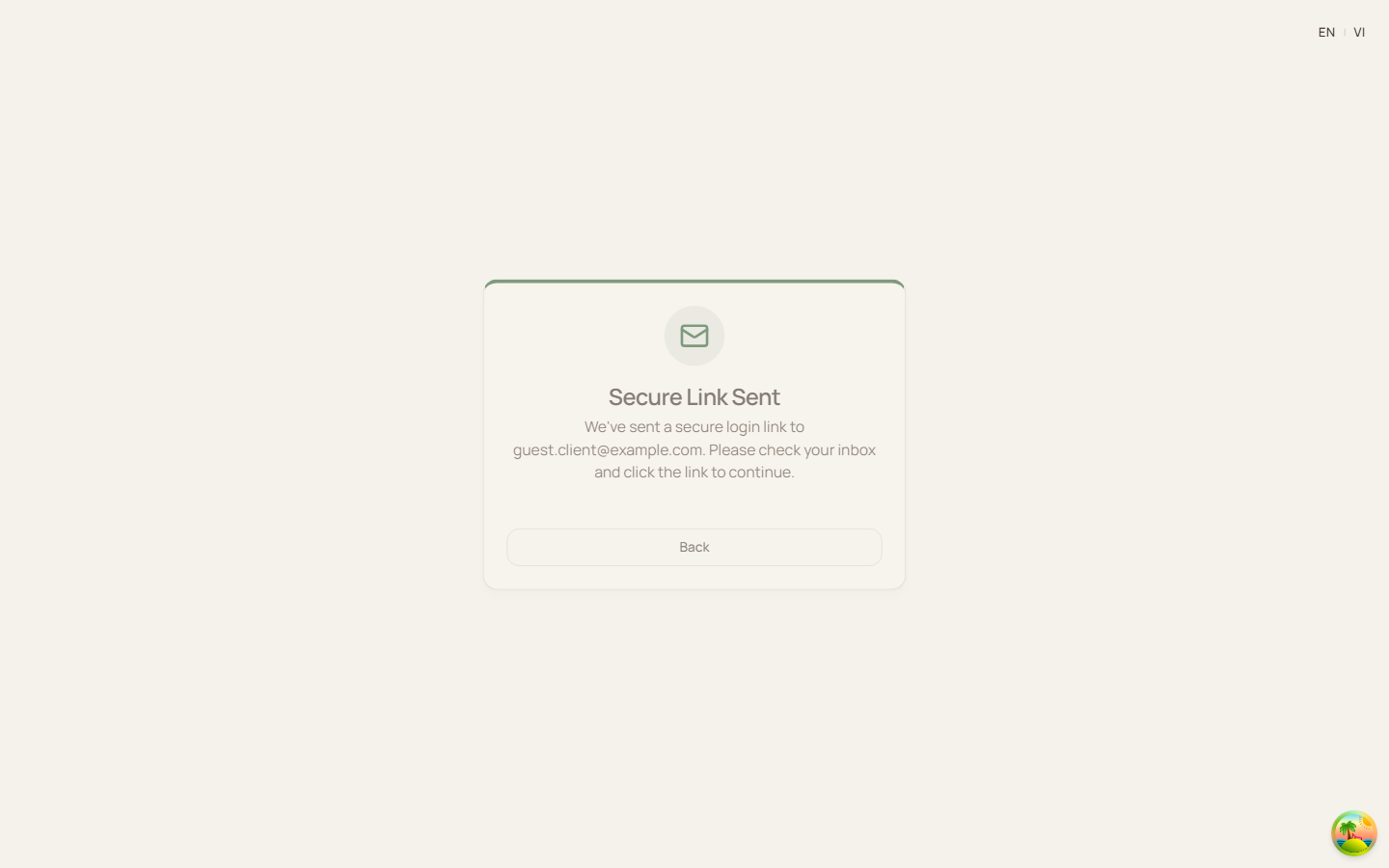
backend/internal/services/client_service.go,backend/internal/services/email_service.go - Product gap: guest invitees should accept or reject without signing up, while the current lifecycle still routes unauthenticated invitees through Supabase registration/magic-link auth.
- Current frontend behavior shows a "Confirm Registration" step for unauthenticated invitees, then shows accept/reject actions only after Supabase authentication.
Screenshot Status
- Captured with Playwright on 2026-04-17.
- Invitation registration prompt:
- Secure link sent:
- Authenticated accept actions:
- Authenticated consent step:
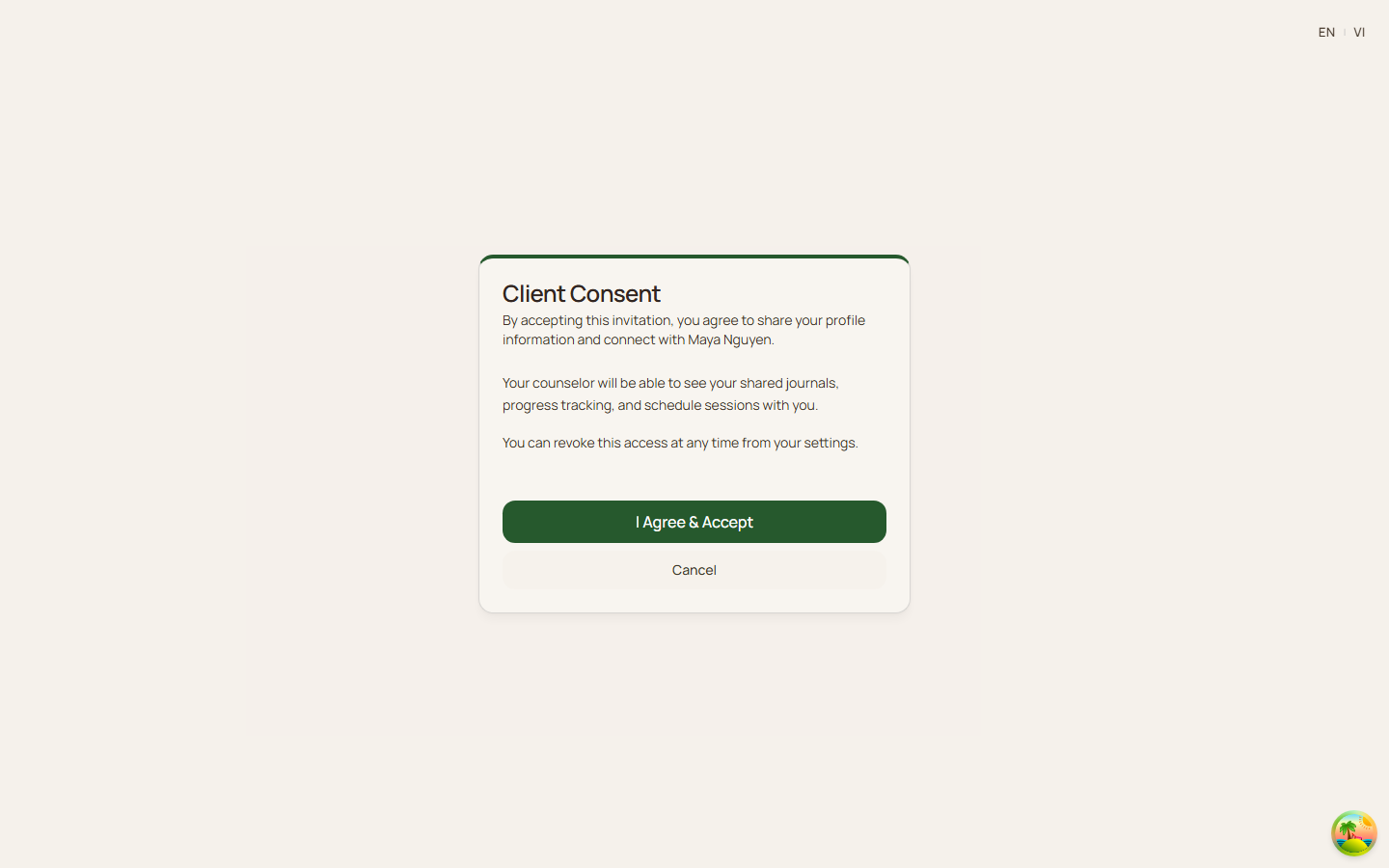
- Screenshot finding: the captured flow still requires registration/authentication before accept/reject.