Appearance
C.3: Calendar
Summary
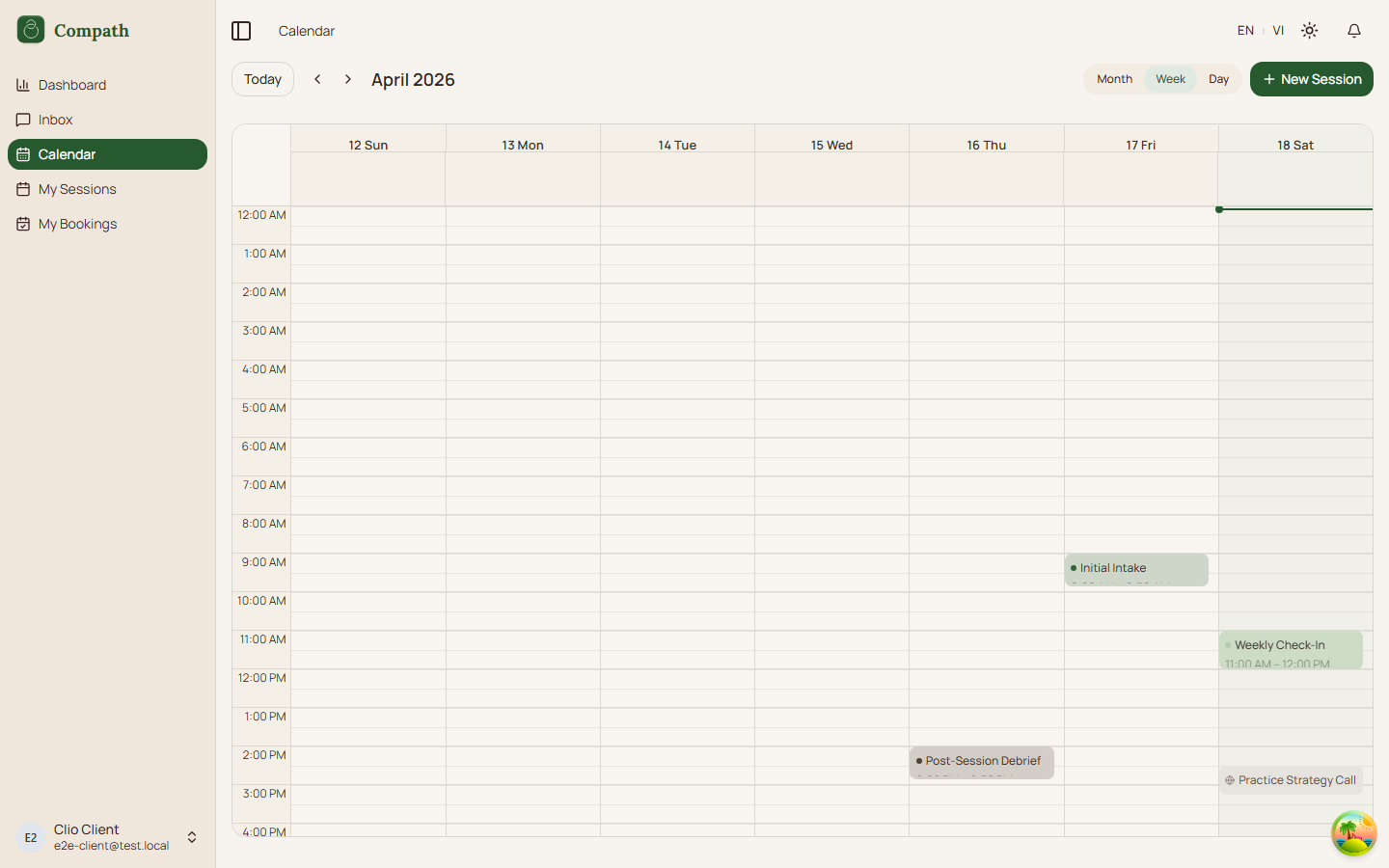
The Client Calendar shows the client's Compath meetings, external calendar events, and pending client bookings in month, week, and day views. Selecting a Compath event opens a side panel with session details and actions.
Role
- Primary: Client
- Secondary: Counselor, System, External calendar provider
Entry Point
- URL:
/calendar - Navigation: Sidebar -> Calendar
Preconditions
- Authenticated: yes
- Required role:
client - Meeting list API must be available
- Calendar connection data is optional
Steps
- Client opens
/calendar. - System calculates the visible date range for the current month, week, or day view.
- System queries meetings within the visible range.
- Because the user is a client, system also queries the client's pending bookings.
- System queries calendar connections and external calendar events.
- Calendar renders Compath meetings, external events, and pending bookings as events.
- Client uses Today, previous, next, month, week, or day controls to change the view.
- Client selects a Compath meeting event.
- System opens the session side panel with title, status, time, duration, recurrence, and description.
- Client can join an eligible scheduled/in-progress call, cancel a scheduled session, or open full details at
/sessions/:meetingId. - Client selects an external event to view read-only external event details and any attached meeting link.
Diagram
Edge Cases
- No calendar connection: Calendar shows a connection prompt when no active connection exists.
- No visible events: Calendar still renders the selected empty date range.
- External event: External events are read-only; the user can open any external meeting link if present.
- Frontend create affordance: The current calendar toolbar and slot selection can open new-session UI. For clients, whether creation is allowed depends on backend authorization; the intended client flow is viewing and joining own sessions/bookings.
- Cancel action: The panel shows a cancel action for scheduled meetings. Backend ownership/role rules determine whether a client can cancel that meeting.
- Workspace filter: Sessions booked through a counselor's workspace carry a workspace badge. The calendar's workspace select defaults to All workspaces (a client's events are usually booked by a clinic, so Personal would hide them) and appears only when at least one event carries a badge; choose Personal (events with no workspace) or the workspace itself to narrow the list.
Screenshot Status
- Captured: