Appearance
C.7: Meeting Room
Summary
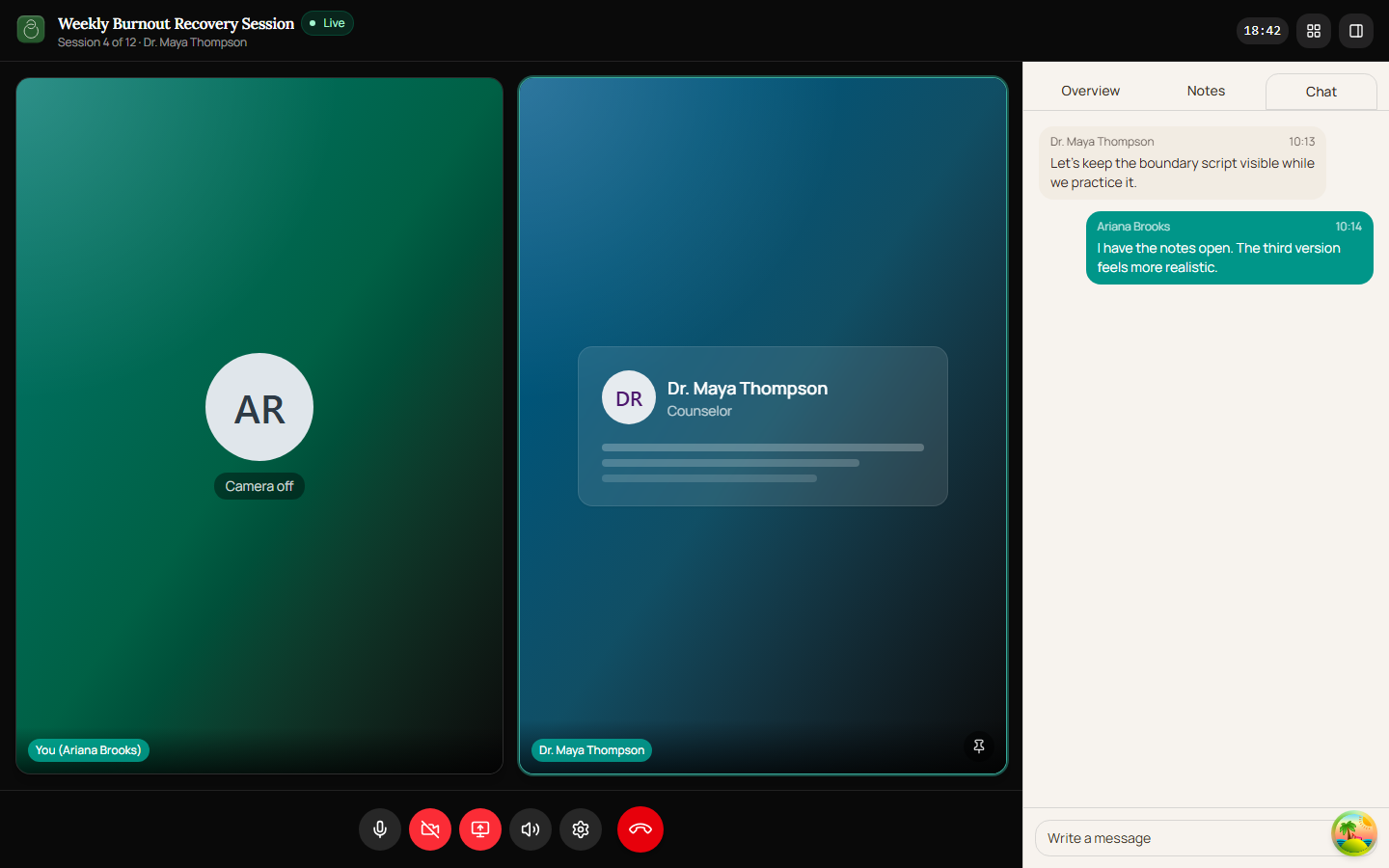
The Meeting Room is the LiveKit-powered in-call experience. Clients can control microphone, camera, screen sharing, output volume, device settings, participant display, and the meeting sidebar. Leaving the call returns the client to the session details page.
Role
- Primary: Client
- Secondary: Counselor, Guest, System, LiveKit
Entry Point
- URL:
/meeting/:meetingId - Public token flow after successful
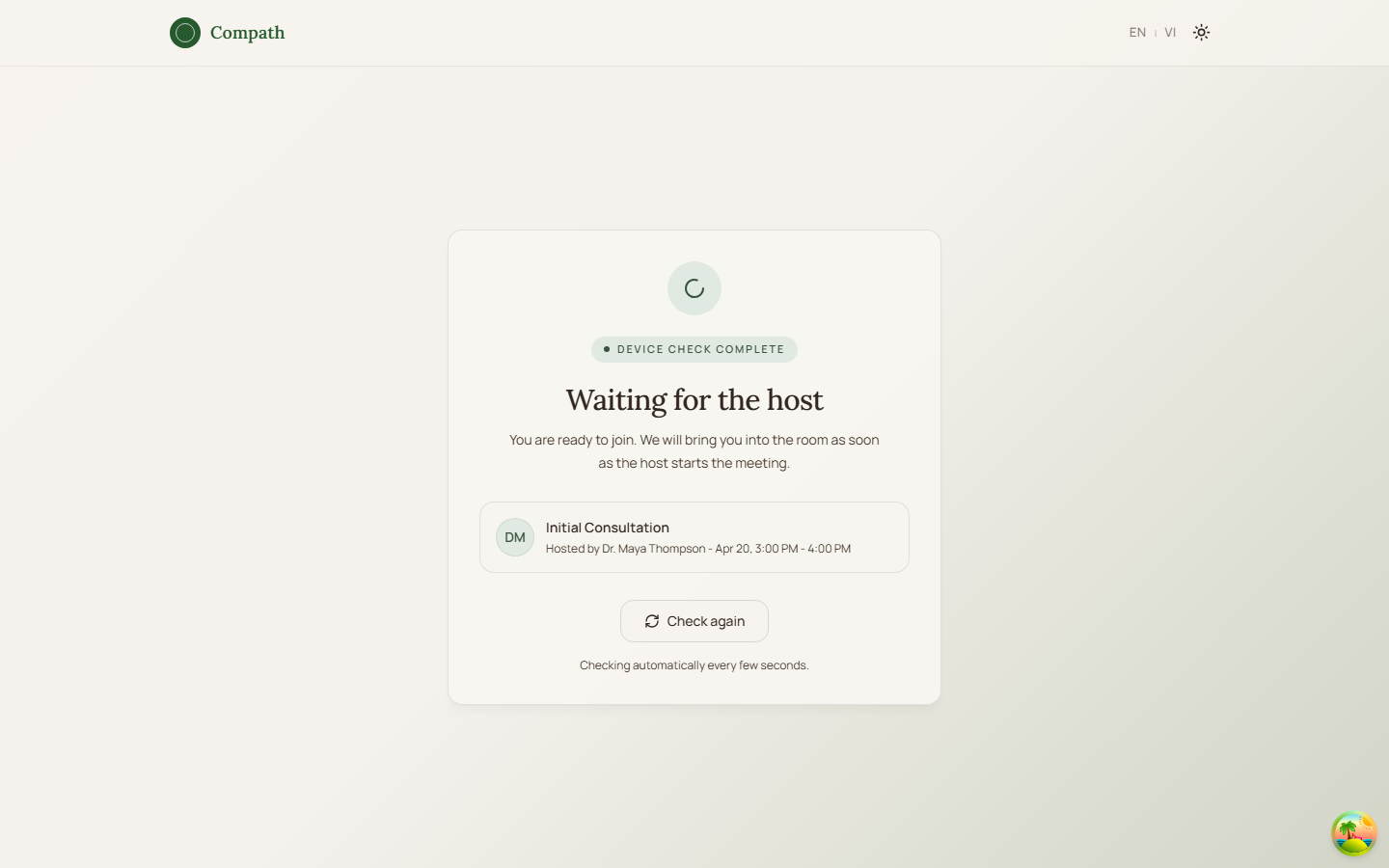
/join/:token - Previous flow: pre-join device check
Preconditions
- Authenticated client or accepted guest token
- Valid LiveKit token and LiveKit URL
- Meeting is joinable and client is authorized
Steps
- Client submits pre-join choices.
- System renders
LiveKitRoomwith the LiveKit token and server URL. - System applies the selected audio/video device choices.
- Meeting room shows participant tiles, optional focused/pinned track, participant list, and sidebar.
- Client toggles microphone, camera, screen share, and deafen controls.
- Client opens settings to adjust devices.
- Client can open/close the meeting sidebar and participant list.
- Client clicks hang up.
- System disconnects the LiveKit room.
- Authenticated client is routed back to
/sessions/:meetingId.
Diagram
Edge Cases
- Connection error: Room shows an error state and a Back to Details button.
- LiveKit validation issue: Some validation-related errors are suppressed where retry/SDK recovery may handle them.
- Mobile layout: Sidebar and participant list are closed by default, and secondary controls move into a More menu.
- Host-only controls: Share meeting and automatic end-meeting behavior are host-only; clients normally leave the call rather than ending the meeting.
- Participant disconnect: The UI keeps the user in the room so disconnect/end-state UI can render.
Screenshot Status
- Captured with Playwright on 2026-04-17 using dev-only room fixture data:
- Client active grid:
- Guest waiting room:
- Client active grid: