Appearance
C.9: Inbox
Summary
The Inbox combines direct messages and notifications. Clients can search conversations, start a direct chat by exact email lookup, read/send messages in real time, and manage notification read/delete states.
Role
- Primary: Client
- Secondary: Counselor, Admin, System
Entry Point
- URL:
/inbox - Navigation: Sidebar -> Inbox
- URL tab state:
/inbox?tab=notifications
Preconditions
- Authenticated: yes
- Required role:
client - Conversations and notifications APIs must be available
- Realtime connection may be available for live message updates
Steps
- Client opens
/inbox. - Inbox defaults to the Messages tab unless the URL asks for Notifications.
- System displays realtime connection status and unread badges.
- In Messages, system loads the client's conversations with search and pagination.
- Client selects a conversation.
- System marks unread conversations as read and loads messages with infinite scroll for older pages.
- Client types a message; Enter sends and Shift+Enter inserts a newline.
- System sends the message and refreshes the conversation/message queries while realtime updates merge into the list.
- Client can open New Chat and find another user by exact email.
- Client can switch to Notifications, search notifications, select one to read, mark it read, delete it, or mark all notifications read.
Diagram
Edge Cases
- Conversations error: Messages tab shows a retry state.
- No conversation selected: Desktop shows an empty conversation prompt; mobile shows the conversation list first.
- No messages: Conversation view prompts the client to start the conversation.
- Message limit: Message input enforces the frontend maximum of 2000 characters.
- New chat for clients: Clients use exact email lookup; counselor-only "My Clients" and admin-only "All Users" tabs are hidden.
- Realtime offline: Connection indicator shows offline, but normal query/mutation flows can still be attempted.
- Notifications with HTML: Notification content is sanitized before rendering.
Screenshot Status
- Captured with Playwright using deterministic mock data:
- Messages tab with selected conversation:
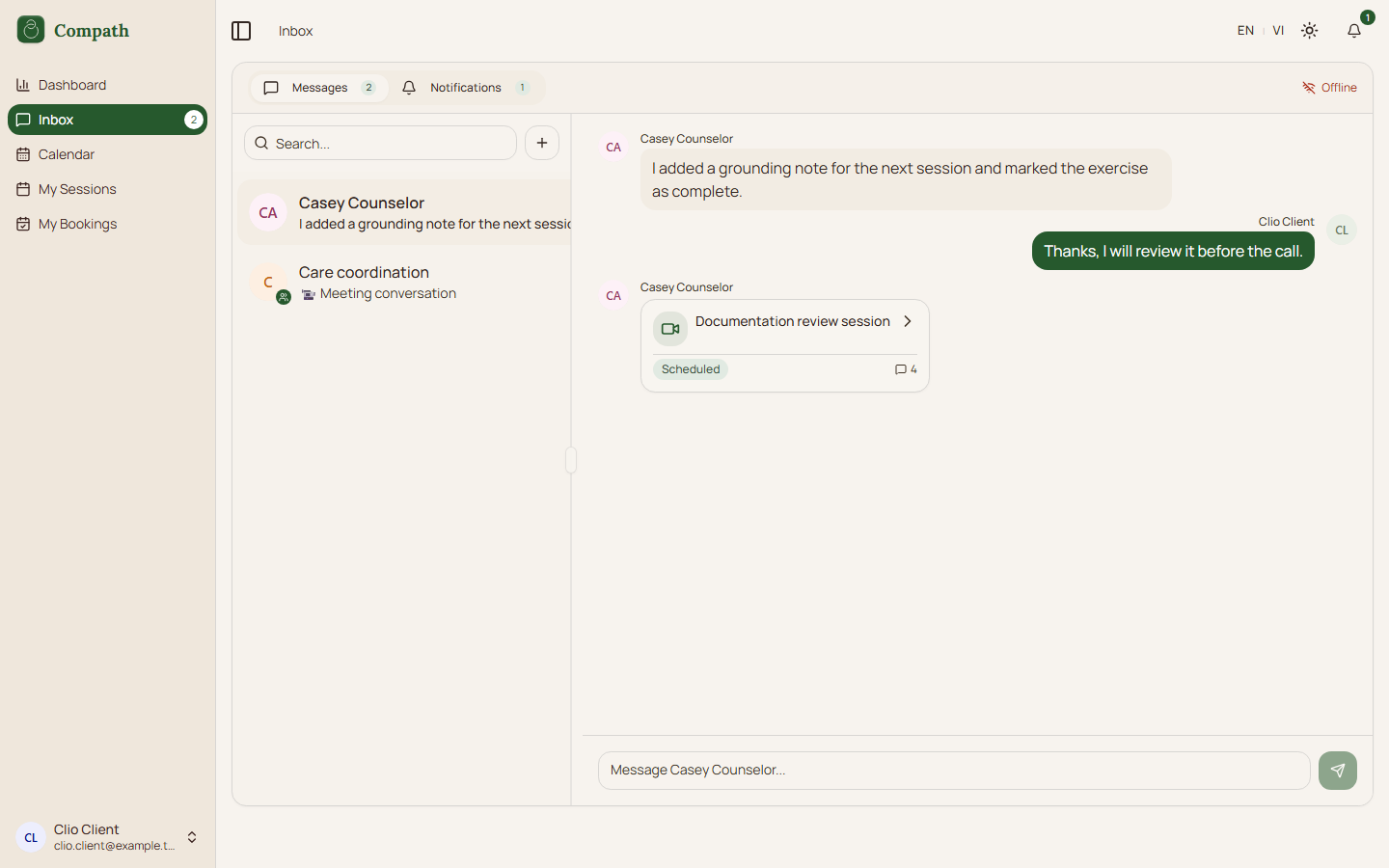
- Notifications tab with selected notification:
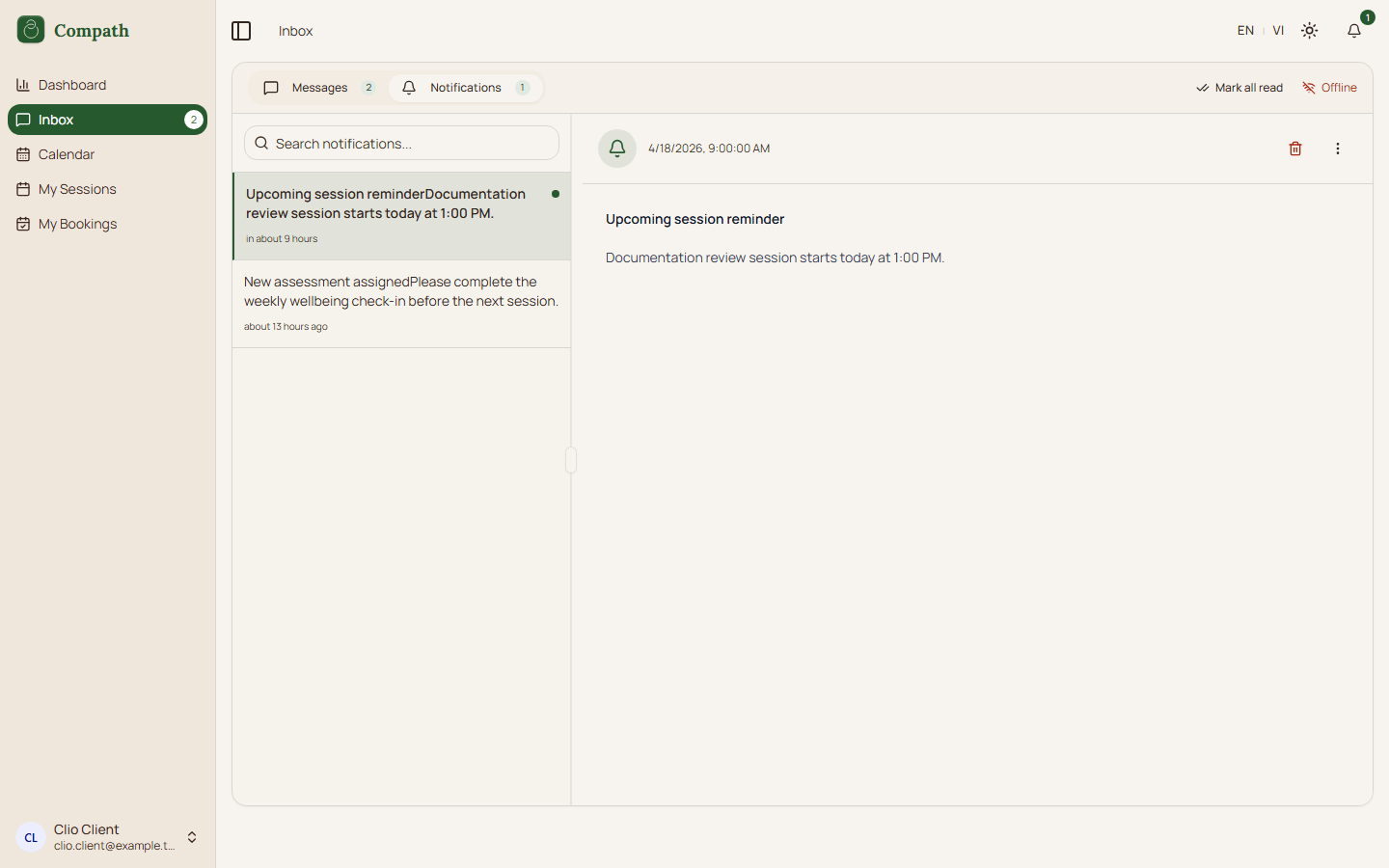
- Messages tab with selected conversation: