Appearance
CO.2: Counselor Dashboard
Summary
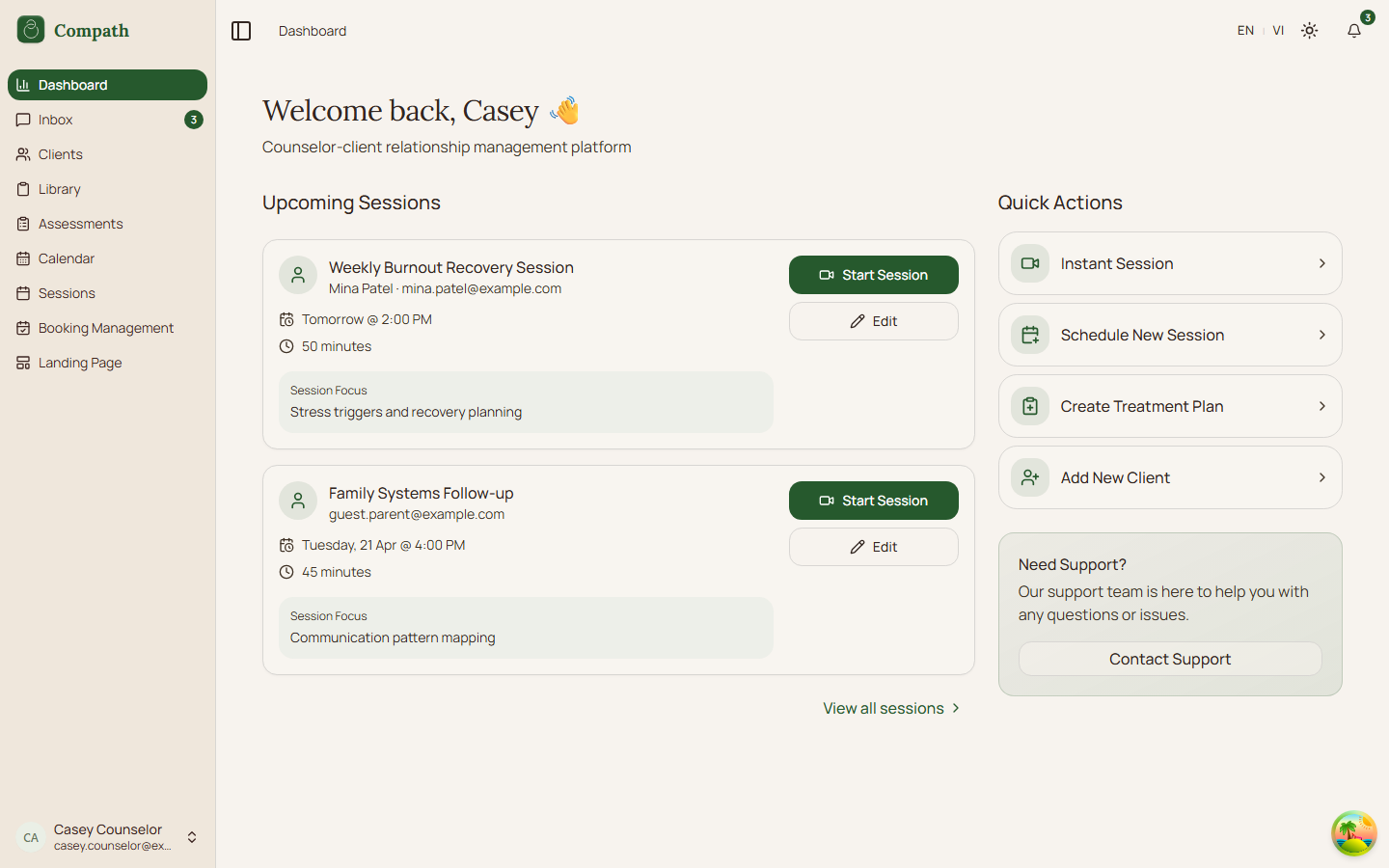
The counselor dashboard gives quick access to upcoming sessions, client activity, scheduling, invitations, and common counselor actions.
Role
- Primary: Counselor
Entry Point
- URL:
/dashboard - Sidebar: Dashboard
Preconditions
- User is authenticated as a counselor.
- Onboarding is complete.
Steps
- Counselor opens
/dashboard. - App loads the current profile and dashboard data.
- Dashboard renders upcoming sessions and summary cards.
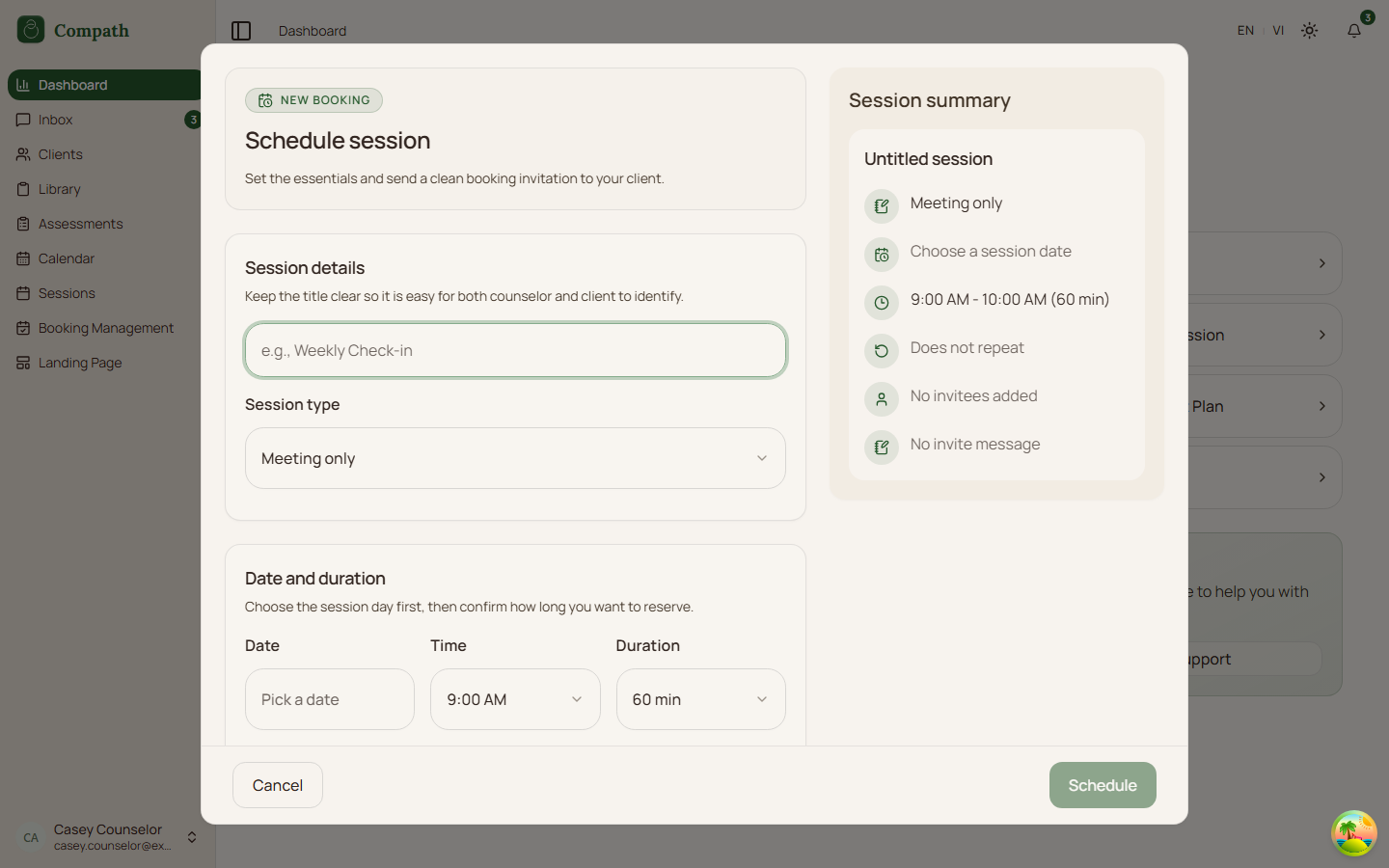
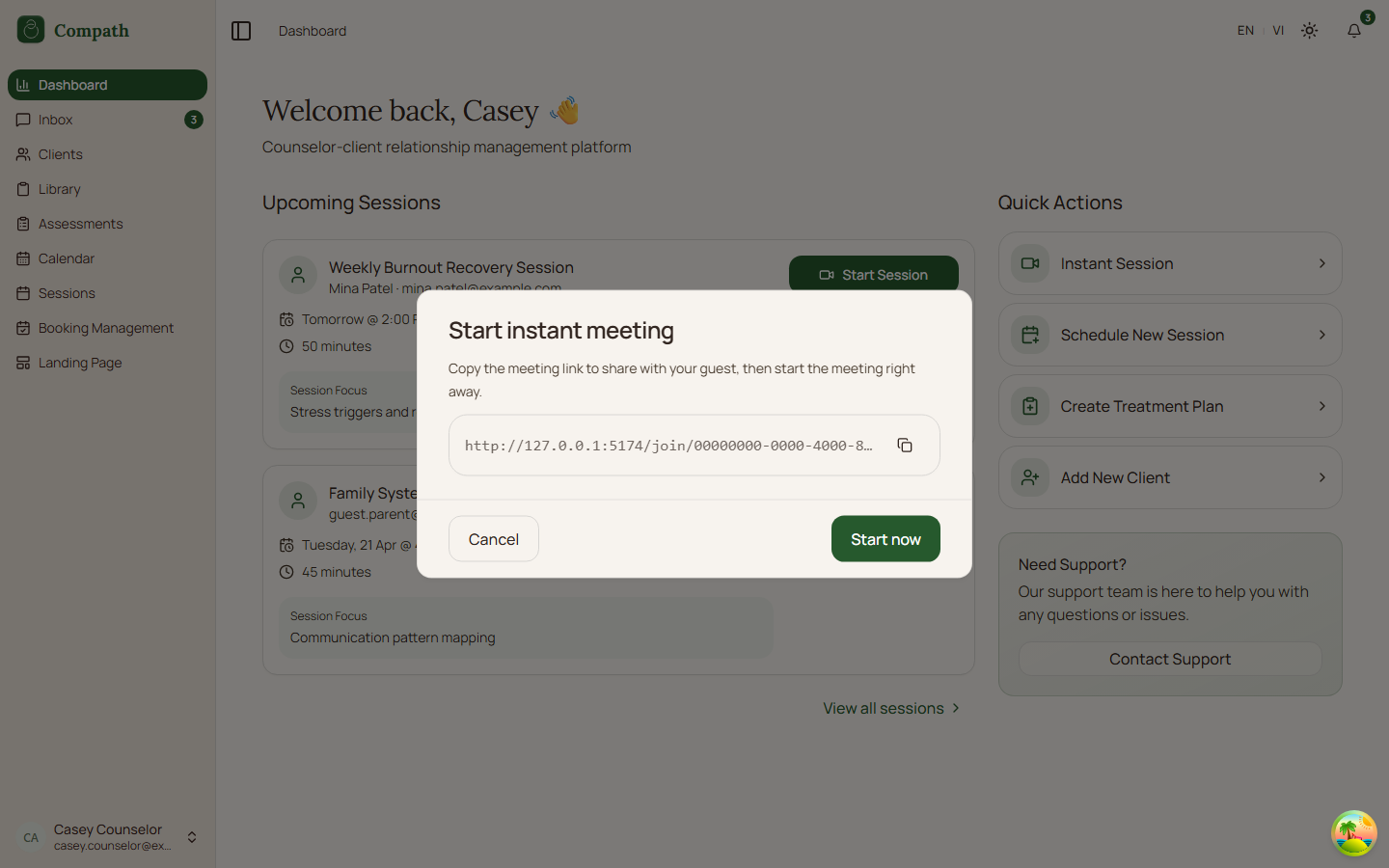
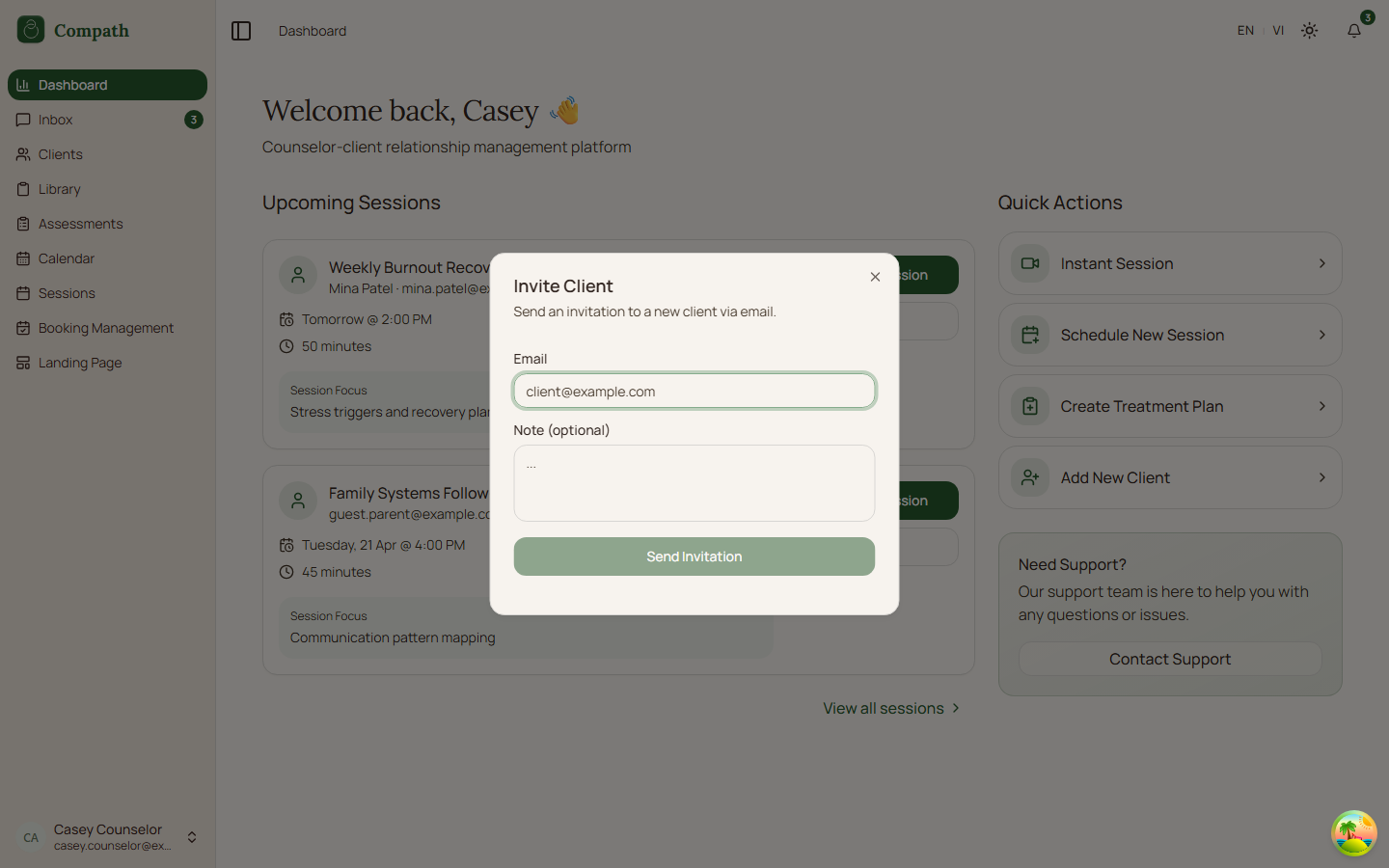
- Counselor can schedule a meeting, start an instant meeting, invite a client, or navigate to sessions.
- Action dialogs call their respective APIs and refresh affected data.
Diagram
Edge Cases
- Incomplete profile: Dashboard redirects back to onboarding.
- Loading/error: Dashboard shows loading and retry states.
- Role routing: Dashboard component varies by account type.
- Schedule session dialog: The Session type list follows the active workspace context (see CO.27); a type no longer on offer after switching context falls back to "Meeting only".
Current Implementation Notes
- Frontend:
frontend/src/app/pages/dashboard.tsx,frontend/src/features/dashboard/components/counselor-dashboard.tsx
Screenshot Status
- Captured with Playwright on 2026-04-17 using mocked dashboard API responses:
- Upcoming sessions:
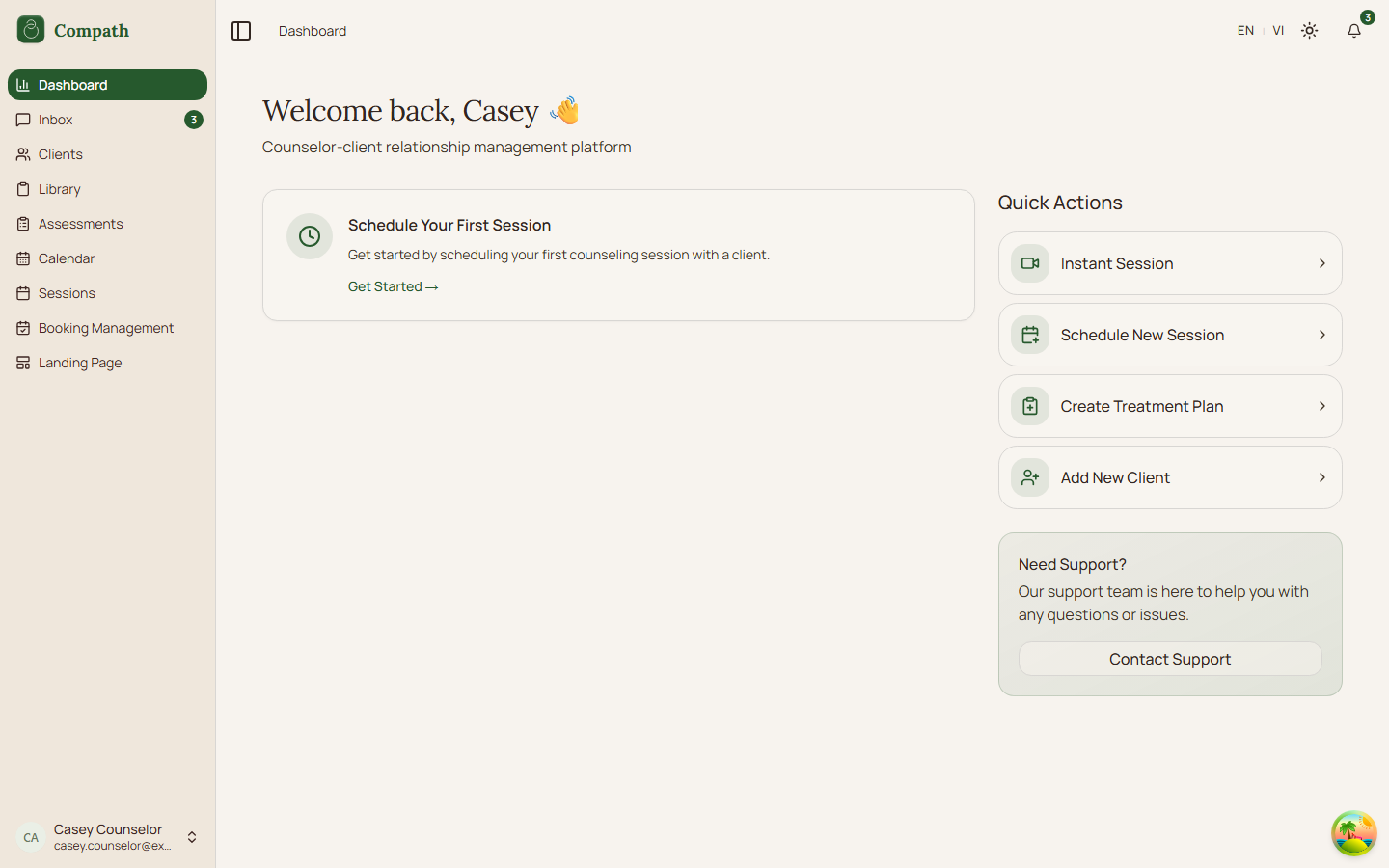
- Empty first-session state:
- Schedule session modal:
- Instant meeting modal:
- Invite client modal:
- Upcoming sessions: