Appearance
CO.8: Meeting Room
Summary
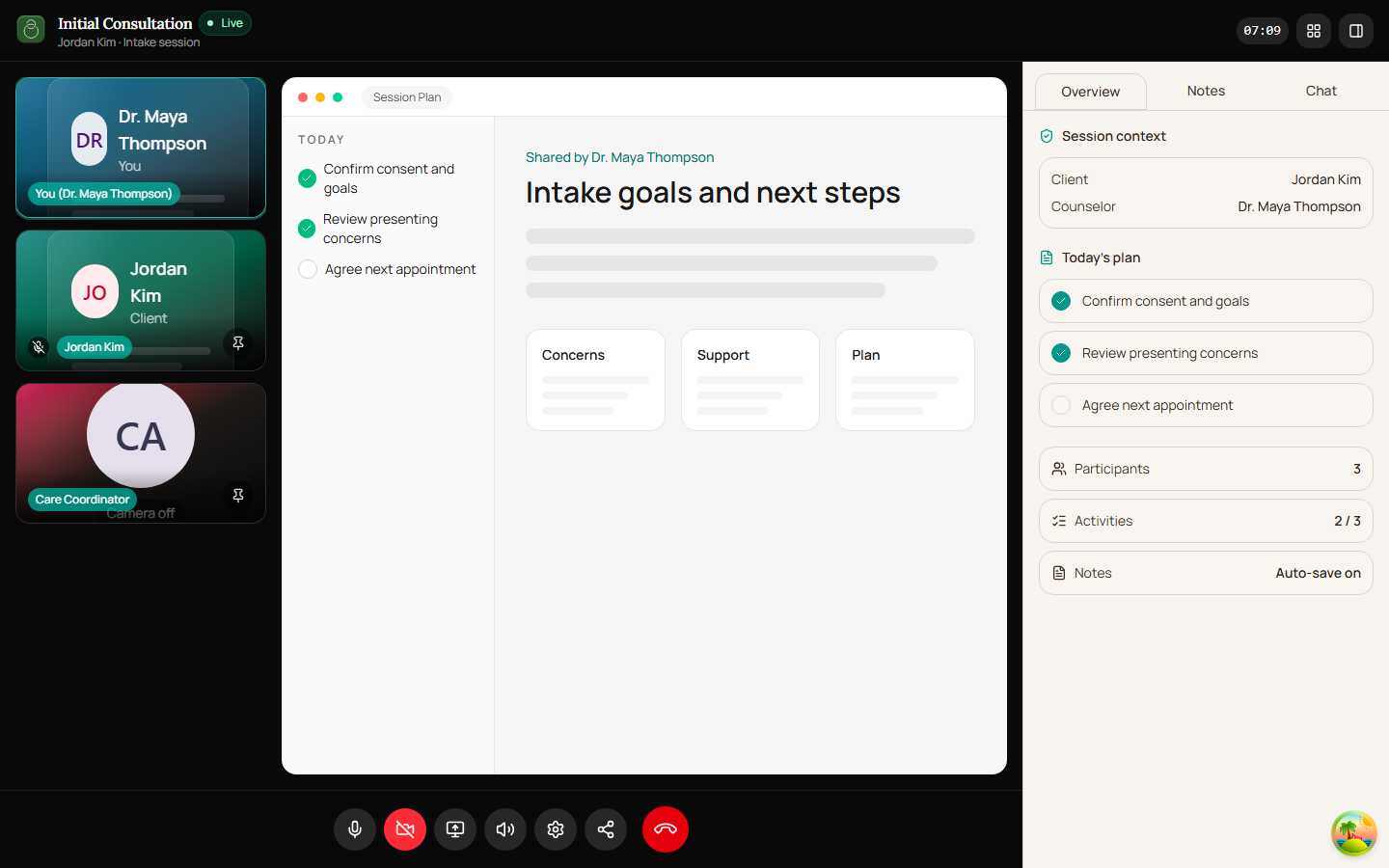
Counselors use the meeting room for video, audio, screen sharing, chat/sidebar interactions, participant awareness, and ending or leaving meetings.
Role
- Primary: Counselor
- Secondary: Client, Guest
Entry Point
- URL:
/meeting/:meetingId
Preconditions
- LiveKit token and URL are available.
- User has joined through the pre-join flow.
Steps
- Meeting room connects to LiveKit.
- Local and remote media tracks render.
- Recording auto-starts when
RECORDING_AUTO_START_ENABLEDis on and the host's resolved preference (per-meetingauto_record_enabled, falling back to counselorauto_record_default) istrue. Theparticipant_joinedwebhook stamps consent and launches the egress on host-join. When the flag is off, recording remains host-initiated through the legacy consent dialog. - Counselor uses controls for audio, video, screen share, and settings.
- Counselor can stop recording mid-session via the record button → confirmation dialog (
Stop recording? ...). Stop is reversible: the host can re-enable recording at any point. - If auto-start failed (egress error, missing LiveKit room, etc.) a persistent banner appears above the meeting controls with a Retry button.
- Counselor can use sidebar tools such as chat.
- Counselor leaves or ends the meeting.
- App returns to meeting details or shows end-state UI.
Diagram
Edge Cases
- Connection loss: Room surfaces connection errors.
- Guest chat: Guest access tokens are passed differently for realtime chat.
- End meeting: Host actions can use keepalive handling on unload.
- Auto-start failure: Egress launch may fail (R2 token issues, LiveKit egress quota, etc.). The host sees a destructive banner with retry — the meeting itself is not blocked.
- Per-meeting opt-out: Hosts can mark a specific meeting as do-not-record at schedule time. The per-meeting override always wins over the counselor default.
Current Implementation Notes
- Frontend:
frontend/src/app/pages/meeting-room.tsx,frontend/src/features/meeting/components
Screenshot Status
- Captured with Playwright on 2026-04-17 using dev-only room fixture data:
- Counselor focus overview:
- Counselor focus overview: