Appearance
C.6: Join Meeting
Summary
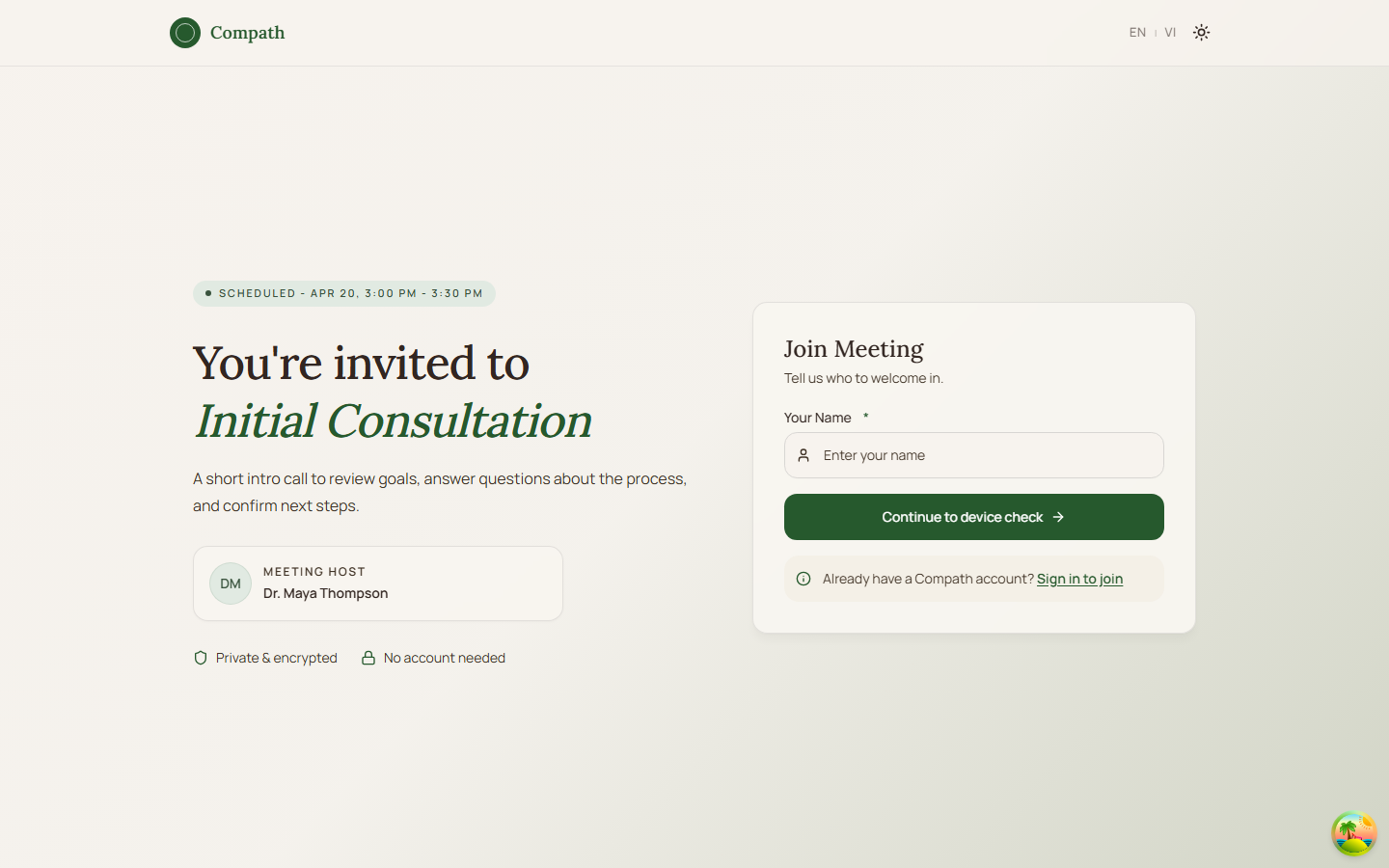
Clients join meetings from internal meeting links or public share links. Internal joins use /meeting/:meetingId and show a pre-join device check before requesting LiveKit credentials. Shared links use /join/:token, where authenticated clients can join with their account or continue as a guest.
Role
- Primary: Client
- Secondary: Guest, Counselor, System, LiveKit
Entry Point
- Internal URL:
/meeting/:meetingId - Public URL:
/join/:token - Navigation: Dashboard session card, My Sessions detail, Calendar panel, My Bookings
Preconditions
- Internal flow: authenticated client with access to the meeting
- Public token flow: valid share token
- Browser camera/microphone permissions may be required for preview
Steps
- Client clicks Join from dashboard, session details, calendar, or booking.
- Internal flow opens
/meeting/:meetingId; public token flow opens/join/:token. - System loads meeting details or token-based meeting info.
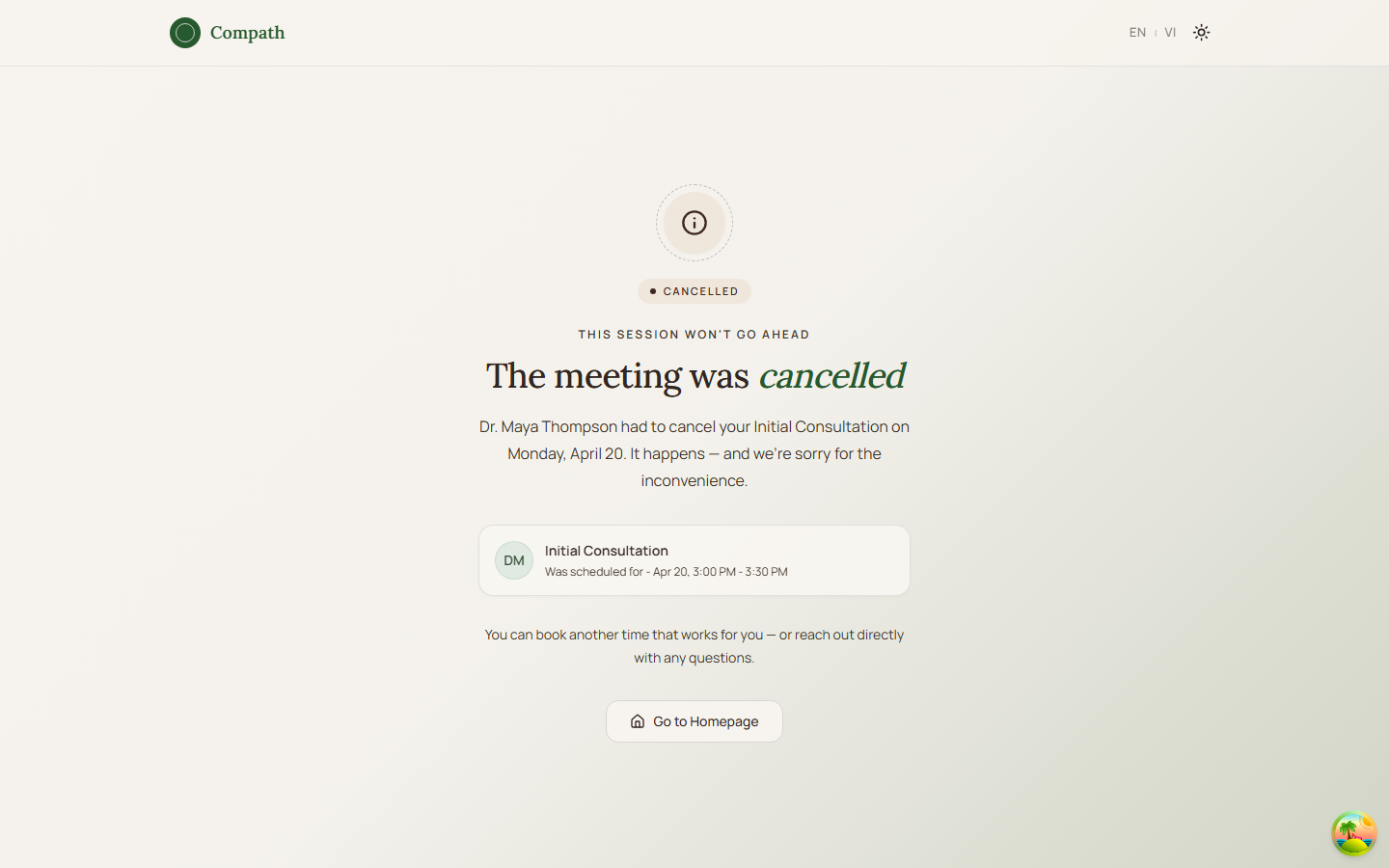
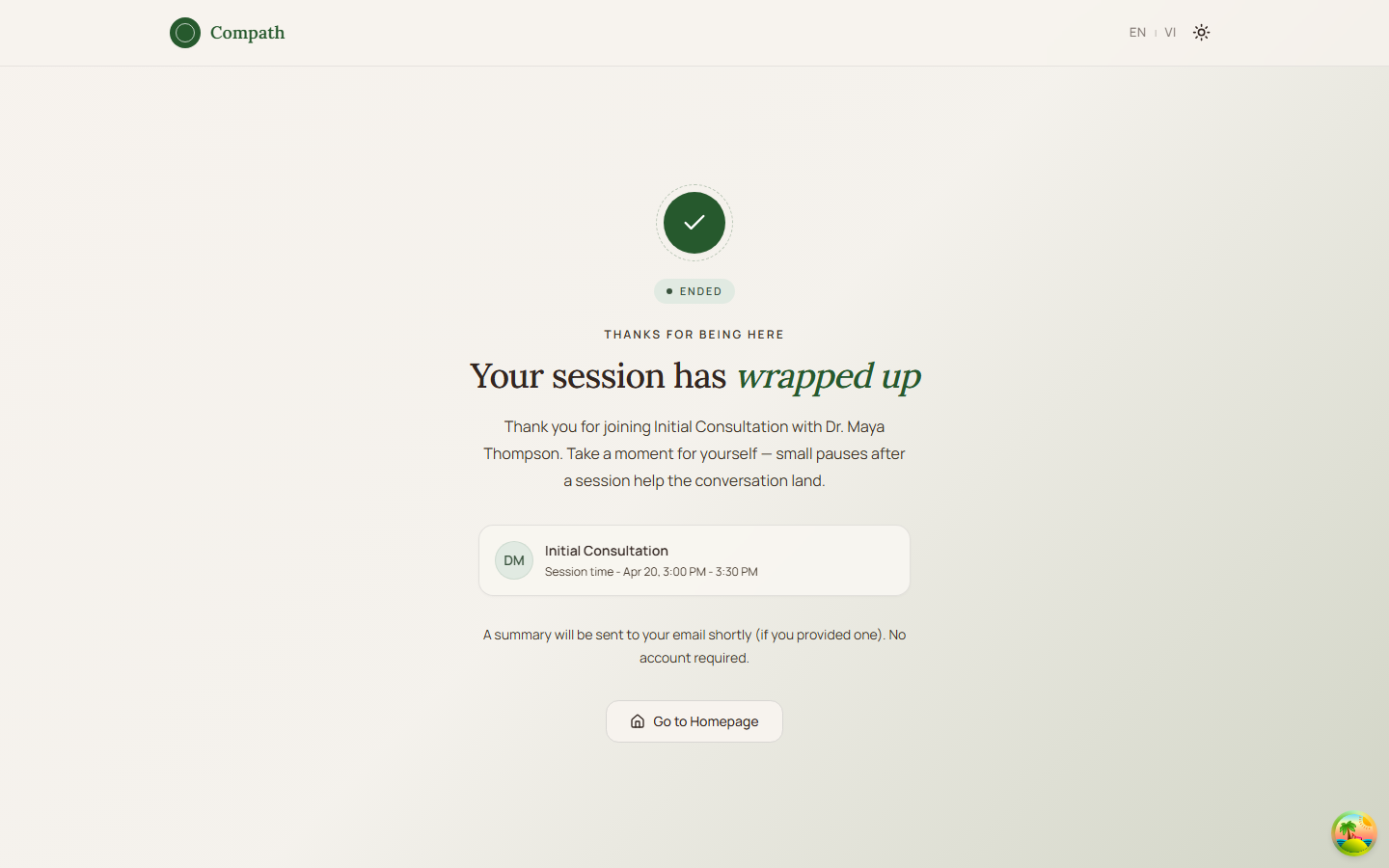
- If the meeting is cancelled or ended, system shows a terminal state and does not enter the room.
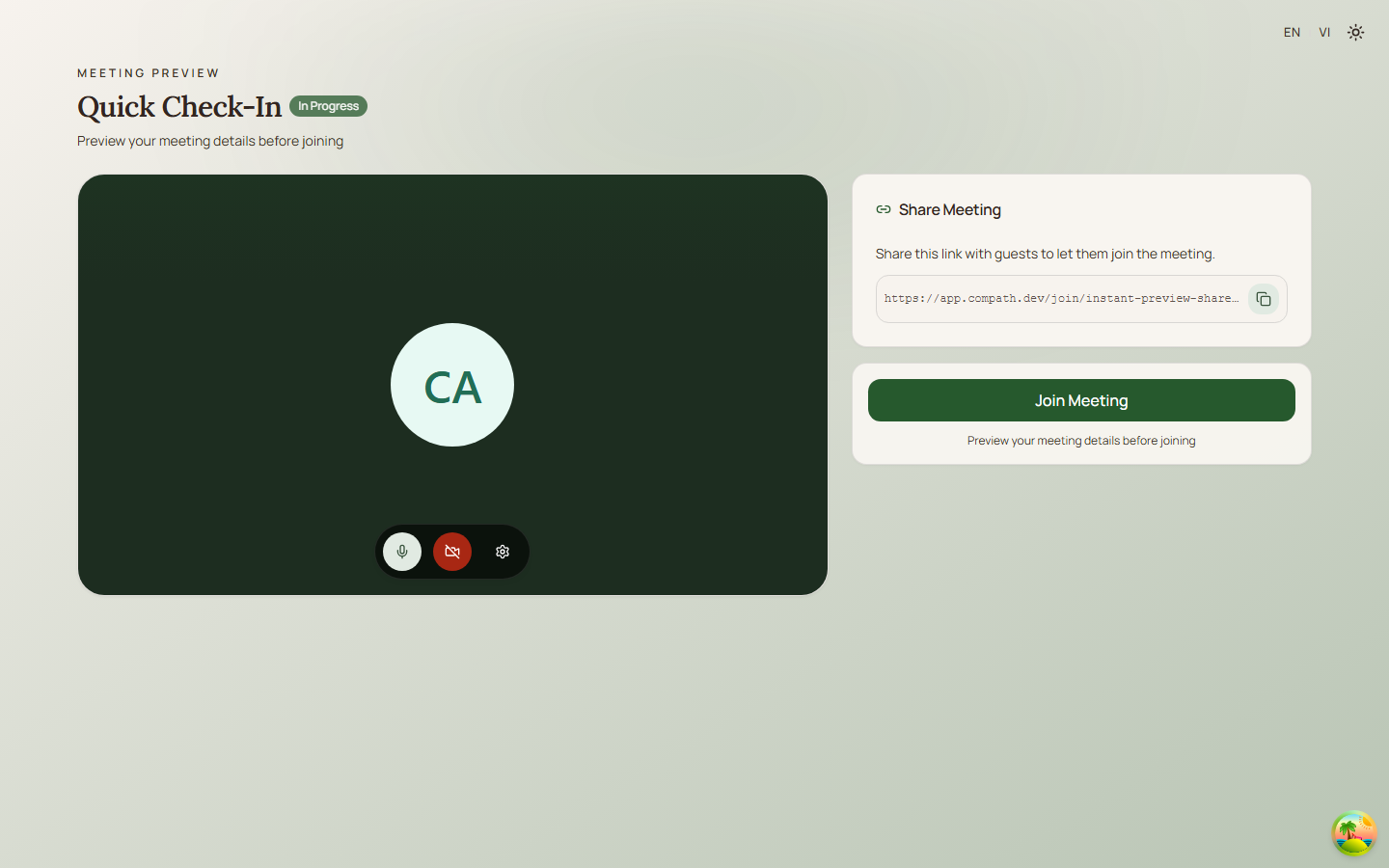
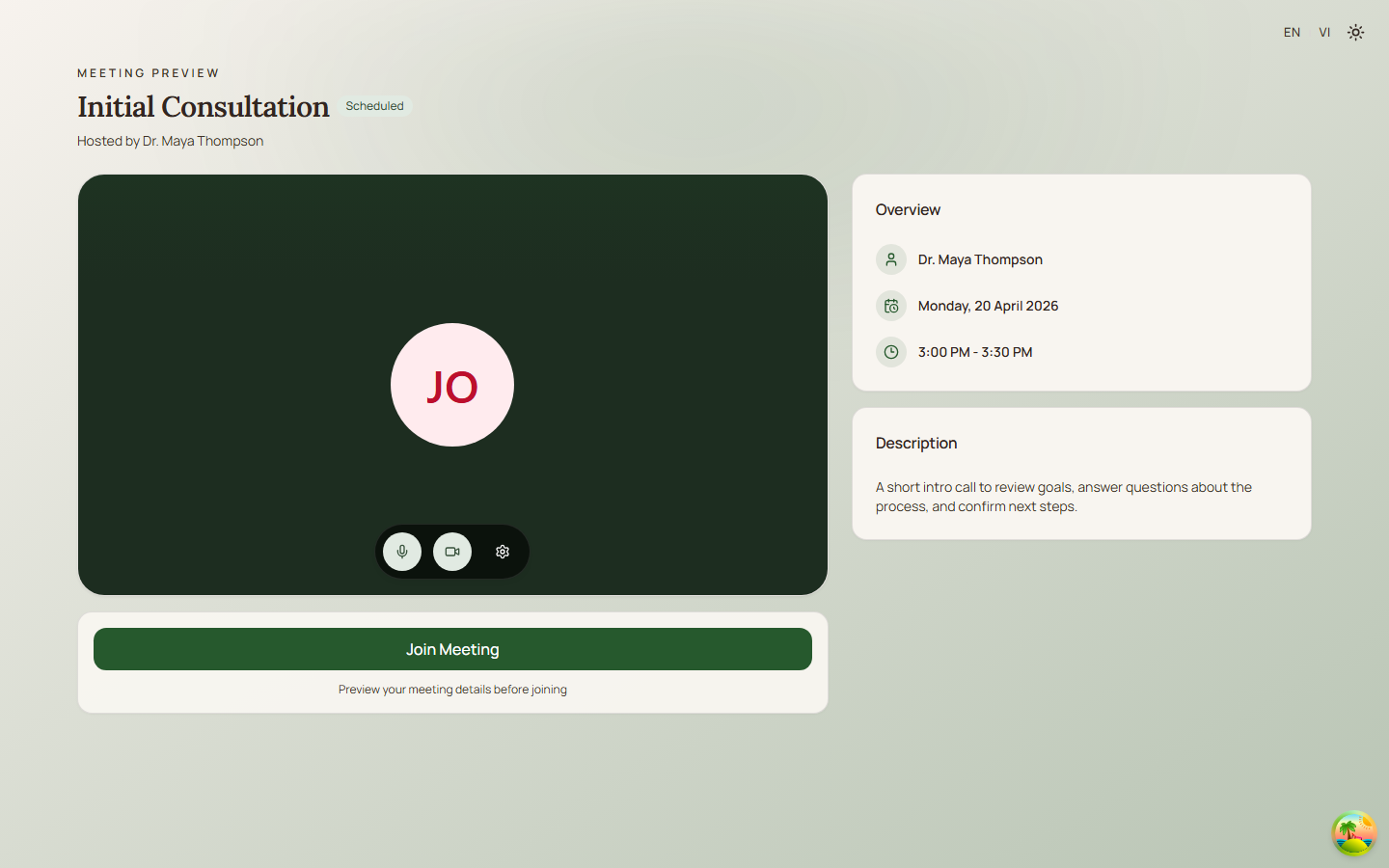
- System shows the pre-join screen with meeting title, host, status, time, optional description, linked session, and share URL when available.
- Client previews camera, toggles microphone/camera, and chooses devices in settings.
- Client clicks Join Meeting.
- System joins the meeting, or falls back to host start behavior only when applicable.
- System receives LiveKit token and URL.
- System renders the meeting room.
Diagram
Edge Cases
- Invalid token:
/join/:tokenshows a not-found state and Go Home action. - Cancelled or ended meeting: Join page shows a clear cancelled/ended message.
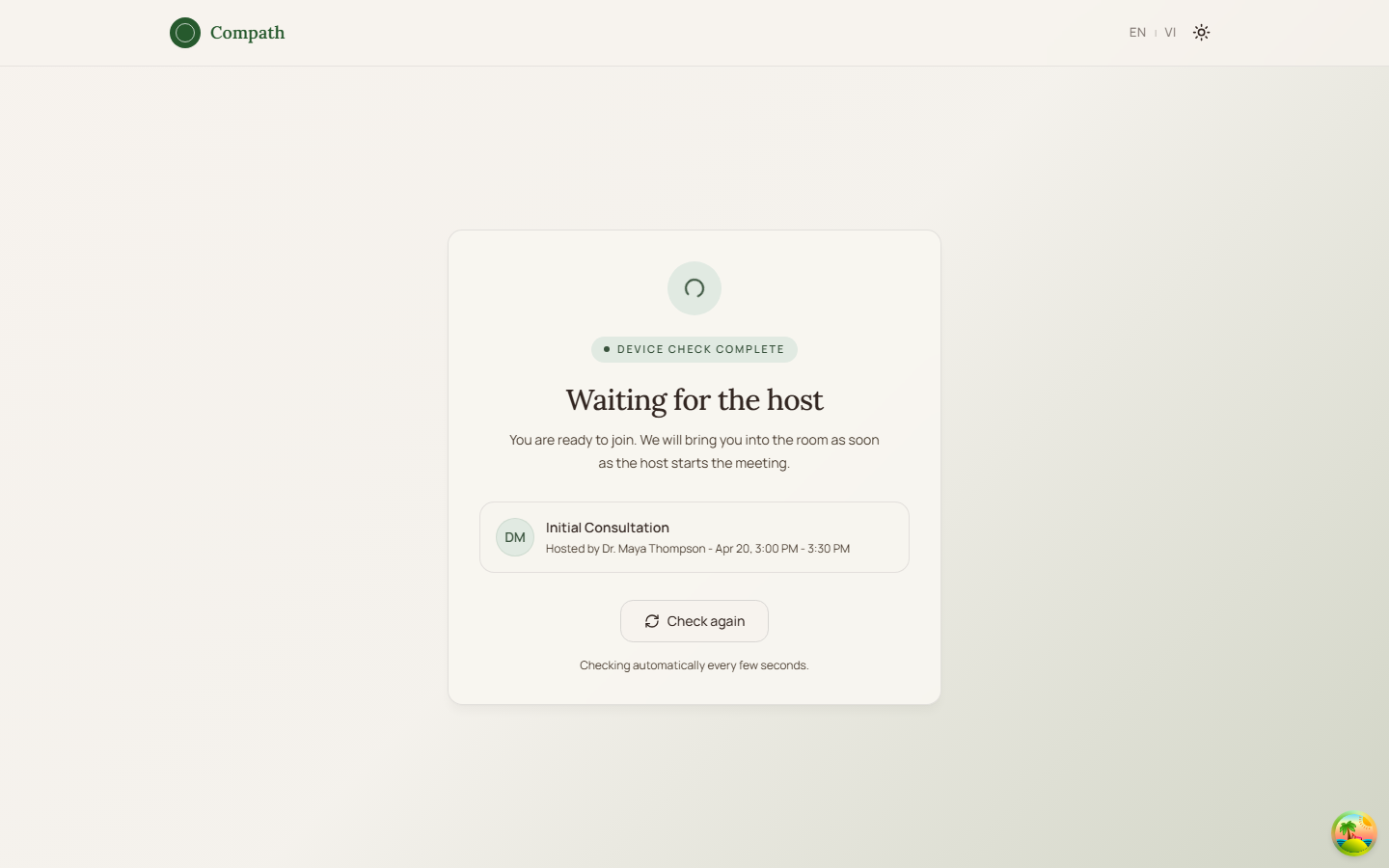
- Meeting not started: Public share links can show a waiting lobby after device check until the host starts the meeting.
- Camera permission denied: Pre-join shows a permission instruction and reload action.
- Authenticated share link: A logged-in client can join with their account; the public page can also show a guest form path.
- Credential failure: Page shows an error state with Try Again or Back to Details depending on route.
Screenshot Status
- Client pre-join screenshot captured with Playwright on 2026-04-17 using dev-only fixture data. Shared guest join screenshots were refreshed on 2026-04-18:
- Client minimal pre-join:
- Guest details form:
- Guest pre-join:
- Guest waiting lobby:
- Cancelled meeting:
- Ended meeting:
- Client minimal pre-join: